Visar inlägg med etikett book. Visa alla inlägg

söndag 6 februari 2022

Gherkin - det gemensamma "språket" från produktägare till utvecklare

Gherkin

Jag har nu haft möjligheten att använda Gherkin på jobbet, ett språk, eller kanske mer en mall, som används för att skriva systemtest så att de ska bli läsbara och förståeliga hela vägen från produktägare till utvecklare. Vi är bara i början av resan, men det verkar mycket lovande och intressant! Rekommenderar!

Om du är som jag och undrar varför saker heter som de heter så kan jag avslöja att gherkin betyder "liten picklad gurka". Och språket Gherkin används i testramverket Cucumber, vilket frun till skaparen fick namnge:

My wife suggested I call it Cucumber (for no particular reason), so that's how it got its name. I also decided to give the Given-When-Then syntax a name, to separate it from the tool. That's why it's called Gherkin (a small, pickled Cucumber).


Cucumber är ett Ruby-ramverk, sitter du med .net så är det SpecFlow som gäller om du vill skriva test med Gherkin.

För att du ska få en känsla för hur språket ser ut så kommer här ett exempel, där de fetkursiva orden, samt möjligheten till den korta beskrivningen på raden under scenario, tillhör Gherkin:

Scenario: Duplicate email

Where someone tries to create an account for an email address that already exists.

Given I have chosen to sign up

But I enter an email address that has already registered

Then I should be told that the email is already registered

And I should be offered the option to recover my password


plant, fruit, food, green, produce, vegetable, fresh, kitchen, gourd, eating, vegetables, cucumber, cucurbita, cucumbers, gherkin, preparations, flowering plant, pickled cucumber, ensiling cucumbers, mizeria, land plant, cucumber gourd and melon family, summer squash, Free Images In PxHere


Godbitar jag hittat

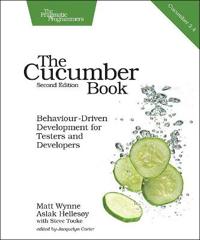
För att komma in i testskrivandet lite snabbare så läste jag The Cucumber Book - Behaviour-Driven Development for Testers and Developers. Här nedan kommer de partier jag markerat som "kom ihåg" under läsning.


Readability

When you're writing Cucumber features, make readability your main goal. Otherwise, a reader can easily feel more like they're reading a computer program than a specification document, which is something we want you to try to avoid at all costs. After all, if your features aren't easy for nonprogrammers to read, you might as well just be writing your tests in plain old Ruby code. The real key to expressive scenarios is having a healthy vocabulary of domain language to use to express your requirements. That said, using only the basic set of Gherkin keywords can often make your features repetitive, making them cluttered and awkward to read. By the end of this chapter you'll know everything there is to know about Gherkin's syntax, giving you all the tools you need to write clear, readable Cubumber acceptance tests.

System tests Vs unit tests

It's also worth thinking about whether some of the behavior you've specified in Cucumber scenarios could be pushed down and expressed in fast unit tests instead. Teams that enthusiastically embrace Cucumber sometimes forget to write unit tests as well and rely too much on slow integration tests for feedback. Try to think of your Cucumber scenarios as broad brush strokes that communicate the general behavior of the code to the business, but still try to get as good a coverage as you can from fast unit tests. Help make this happen by having testers and programmers work in pairs when implementing Cucumber scenarios. This pair can make good decisions about whether a piece of behavior necessarily needs to be implemented in a slow end-to-end Cucumber scenario and drive out the behavior using a fast unit test instead.

Överflödiga detaljer

Nedanstående test tas upp som ett exempel på ett test som innehåller alldeles för mycket detaljer på fel nivå.

Ett scenario för en e-postklient på webben:

Scenario: Check inbox
Given a User "Dave" with password "password"
And a User "Sue" with password "secret"
And an email to "Dave" from "Sue"
When I sign in as "Dave" with password "password"
Then I should see 1 email from "Sue" in my inbox

Användarnamnen är användbara, eftersom de är viktiga beståndsdelar i scenariot, men lösenorden är bara brus, de har inget att göra med det som testas och gör testet svårare att läsa. Till exempel så har Sue ett annat lösenord än Dave, vilket kan leda till att du som läsare av testet börjar fundera över om den delen är relevant och tappar då fokus från scenariots huvudsakliga mening, dvs: att testa att Dave kan se Sues email.

Lösenorden är alltså överflödiga detaljer (incidental details), detaljer som nämns i scenariot, men som saknar relevans för scenariots uppgift. 

Här är testet utan lösenord:

Scenario: Check inbox
Given a User "Dave"
And a User "Sue"
And an email to "Dave" from "Sue"
When I sign in as "Dave"
Then I should see 1 email from "Sue" in my inbox

En klar förbättring, mer lättläst och testets betydelse framträder tydligare. Ännu mer brus kan tas bort:

Scenario: Check inbox
Given I have received an email from "Sue"
When I sign in
Then I should see 1 email from "Sue" in my inbox

Nu är det ett koncist trestegs-scenario, som också är lättare att underhålla. Om användarautentiseringen måste ändras, så påverkar det inte själva testet utan bara koden bakom. 

When Cucumbers Go Bad: Imperative Steps

In computer programming, there are two contrasting styles for expressing the instructions you give to a computer to make it do something for you. These styles are called imperative programming and declarative programming.

Imperative programming means using a sequence of commands for the computer to perform in a particular order. Ruby is an example of an imperative language: you write a program as a series of statements that Ruby runs one at a time. 
A declarative program tells the computer what it should do without prescribing precisely how to do it. CSS is an example of a declarative language: you tell the computer what the various elements on a web page should look like, and you leave it to take care of the rest.

Exempel i imperativ stil:

Scenario: Redirect user to originally requested page after logging in
Given a User "dave" exists with password "secret"
And I am not logged in
When I navigate to the home page
Then I am redirected to the login form
When I fill in "Username" with "dave"
And I fill in "Password" with "secret"
And I press "Login"
Then I should be on the home page

Enligt författaren så kan man argumentera att ovanstående testexempel har en del fördelar. Men han menar på att man snart kommer drabbas av problem med test som lätt går sönder och uttråkade intressenter, t ex produktägaren. Test som skrivs på den stilen blir brusiga, långa, tråkiga att läsa och går lätt sönder. Till exempel en så liten ändring som en omdöpning av knappen från "Login" till "Log in" får testet att gå sönder.

Men det värsta är att språket inte tillhör den egentliga problemdomänen, utan blir mer lågnivå-språk med ord som "fill in" och "press", vilka tillhör gui-domänen.

Exemplet i deklarativ stil:

Scenario: Redirect user to originally requested page after logging in
Given I am an unauthenticated User
When I attempt to view som restriced content
Then I am shown a login form
When I authenticate with valid credentials
Then I should be shown the restricted content

Författaren skriver att det snygga med detta är att testet inte kopplas till en specifik implementation av användargränssnittet. Samma scenario kan användas för en desktop-app som en mobil-app.
Orden som används (unauthenticated, restricted, credentials) är förståeliga för en intressent som håller på med säkerhet.

It's true that using declarative style will mean you have to write more step definitions, but you can keep the code in those step definitions short and easy to maintain by pushing the actual work off into helper methods in your support code.

onsdag 5 januari 2022

DevOps i 40-talets kolgruvor

Grundtankarna i DevOps inget nytt
Boken DevOps Paradox - The truth about DevOps by the people on the front line av Viktor Farcic är en samling intervjuer med framträdande personer inom DevOps-rörelsen, där de får möjlighet att beskriva hur de definierar DevOps och deras tankar runt det, eftersom DevOps inte är en väldefinierad process enligt Victor:

The thing is, if there's anything that my years of working in the field have taught me, it's that DevOps is not a well-defined process. There is no set of rules that must be followed. As I discovered in my journey, and as you'll read in these pages, it's even questionable whether there is such a thing as a "DevOps department" or a "DevOps engineer". This ambiguity is exactly why DevOps is so fascinating to me, and I hope to you, the reader, as well.
En av personerna som intervjuas är Kevin Behr, som i sin intervju lyfter att DevOps-tänket med gemensamt mål, samarbete över gränser, kontinuerligt experimenterande och lärande användes naturligt som en "överlevnadsinstinkt" dolt nere i kolgruvorna på 40-talet. Nedan är en översättning av exemplet han tar upp i intervjun ihopbakat med lite av det han tar upp i sin dragning First In Last Out - devops roots in coal mining - Kevin Behr - devopsdays Pittsburgh 2014


Sociologer till kolgruvorna
Efter andra världskriget behövde kolproduktionen i Storbritannien öka som ett led i att snabba på återuppbyggandet av landet efter all förstörelse från kriget. Det låg alltså i nationens intresse att kolgruvornas produktion maximerades. För att uppnå detta anställde regeringen två sociologer, Eric Trist och Elliott Jacques, för att de skulle undersöka gruvorna som ett led i att se vilka som var mest produktiva och vad som gjorde att de var det.

Trist och Jacques upptäckte att alla lågproducerande gruvor hade en hög grad av automatisering, men att automatiseringen inte uppnådde förväntad produktivitetshöjning.

Vad funkar bäst? Team work!
Bland de många olika typerna av gruvdrifter hittade de en design som verkligen särskiljde sig, en design som hade flera gånger högre kolproduktion än de andra. Utöver hög produktion så hade den även signifikant färre skador och en mycket stark lagkänsla!

En annan skillnad de upptäckte var att arbetarna kom till jobbet som de skulle, vilket var en aning udda, för i andra gruvor var som regel 30% av arbetsstyrkan borta. Att jobba i kolgruva var farligt och det fanns många andra jobb i efterkrigstidens Storbritannien.

För att få reda på orsaken till arbetarnas höga närvaro i de högproducerande gruvorna så pratade Trist och Jacques med arbetarna när de kom tillbaka efter sina skift, men det gav inga ledtrådar till vad som kunde vara annorlunda. Så de började följa med arbetarna ner i gruvorna.

Embed from Getty Images
circa 1955: Welsh miners at work in a coal mine.

Självorganisering
Ovan jord så samlade skiftledaren alla arbetarna och gick igenom vad de förväntades göra. Men sen, väl nere i gruvan så märkte de direkt en skillnad: gruppen demokratiserade arbetet. De fokuserade på hela uppgiften, vad de skulle åstadkomma som arbetslag, istället för "jag fokuserar på mitt så gör du ditt".

De pratade om vad som skulle göras och delade upp arbetet mellan sig på ett lämpligt sätt, t ex "Vem drack inte igår? Ok, du får hantera sprängmedlen idag." Vem håller koll på säkerheten? Vem kör borren? De var självorganiserade och självreglerade.

Samtidigt prioriterade de att lära varandra sina uppgifter. På så sätt påverkades arbetsgruppens insats mindre en dag då någon hade ont eller kanske var tankspridd på grund av nåt som hänt i familjen så att personen inte klarade av sina vanliga uppgifter. Det var heller inte helt lätt att ta sig upp ur gruvan om nån blev allvarligt skadad under arbetet, därför behövde flera känna till hur man manövrerade de fordon och maskiner som behövdes för att ta sig ut.

Pareto-principen vid kunskapsspridning
Wikipedia beskriver Paretoprincipen såhär:
Paretoprincipen är en matematisk fördelning enligt vilken 20 procent av orsakerna ofta står för 80 procent av verkan; den kallas ibland även 80/20-regeln. Vilfredo Pareto visade att 20 procent av den italienska befolkningen innehade 80 procent av egendomen och denna observation har av andra senare generaliserats.
Inom mjukvaruutveckling verkar nedanstående gälla:
  • 80% av koden kan skrivas på 20% av tiden
  • 20% av koden har 80% av buggarna
  • 20% av funktionaliteten i ett program används 80% av tiden
Kevin Behr teoretiserar att gruvarbetarna utnyttjade Paretoprincipen för sin kunskapsspridning, det vill säga "lär mig 20% av kunskapen som behövs för att utföra din upgift till 80%". 

Om att lära sig varandras uppgifter på det sättet säger han: "And that is what DevOps is!"

Sociotechnical systems (STS)
Utifrån sin forskning angående kolgruvornas effektivitet så var Eric Trist med och myntade begreppet sociotechnical systems, där sociotechnical refererar till kopplingen mellan de sociala och tekniska aspekterna av en organisation eller samhället som helhet. På grund av att de tekniska och de sociala bitarna kan gå in i varandra så mycket, så måste man vid en optimering av en process ta hänsyn till båda bitarna (teknisk utveckling och kvalitén på personernas arbetsliv). För optimerar man bara en del så riskerar oväntade effekter från den andra delen att motverka optimeringen.

I kolgruvornas fall var det att man automatiserade gruvorna, men automatiseringen ledde till mer ensamarbete och arbetarnas arbetslivskvalité sjönk, vilket ledde till sämre mående och sämre arbetsmoral. Detta tas upp i podcasten Talking About Organizations avsnitt 34 Sociotechnical Systems – Trist and Bamforth

Vad ta med sig från detta?
Ja, vad man ska dra för lärdom av detta? Kanske att om man är på gång att införa DevOps på arbetsplatsen inte stirra sig blind på processerna och verktygen för automatisering av kontinuerlig integration/installation och automatiserade tester utan även ha fokus på det sociala samarbetet?

fredag 18 juni 2021

Write a ray tracer guided by Jamis Buck's test suite

Background

Having seen people write their own ray tracers, I've been curious about writing my own. And for a while I also believed I just could sit down and write one, without any help, until I tried. At least I failed fast :)

Fast forward a few years to the moment when I listened to the podcast Developer On Fire, where the interviewer asks the interviewee for book recommendations and the book The Ray Tracer Challenge - A Test-Driven Guide to Your First 3D renderer by Jamis Buck is mentioned. I bought it and started coding.


About the book
The book explains the theory you need and contains unit tests in Gherkin, which means that you can translate them to whichever programming language you want to use. 
Here's an example of a test that subtracts a point from another, which should result in a vector:


I used C# and NUnit, which made my test implementation look like this:


The algorithms that make the tests pass are written in pseudocode, so you have to translate them as well.

What I learned
Test first
I really liked the test first way of coding. It catched errors early which made it easier to spot and correct the bugs. It was good to build up a safety net of tests, because the code got pretty math intense and would be pretty hard to debug without them.

Funny / not funny
The fun part was the coding and to see the resulting images. But creating sceneries and trying out different settings was not that fun, which makes it pretty useless to have my own ray tracer to play around with...

Recreational coding
Jamis Buck has also written a book about how to generate mazes, something he did when recovering from a burn out. He's sharing that story in the pod Corecursive.

Examples of created images

Here's two examples of images I created. 

Snowflakes
This is supposed to look like falling snowflakes. I made it after learning how to create cylinders and cones and how to group simple shapes together.


The making of a kitchen table

Here's after learning to do cubes and planes and manipulate them, like scaling in different directions, move them and give them color and patterns. Also tried to do a kitchen lamp, but found out that the shadow logic was too simple so that a transparent object shadows as much as an opaque object.

Yes, I had at hard time positioning the table legs :)


The code

It took me quite a while to finish the book. The commit history shows that I began in June 2019 and finished in June 2021. I worked with it in bursts and often had long periods of inactivity.

I skipped the code for matrix manipulation, I used the MathNet.Numerics nuget package instead to faster advance to the chapters that resulted in images.

My github repo for this project.

When searching for The ray tracer challenge at github, I get 254 repo hits in 10 languages, where the most are in Rust (51), C++ (48), C# (32) and Go (17).

After finishing the book I also noticed that people have posted their learning journey on youtube, like this playlist.

tisdag 22 december 2020

Det går troll i mjukvarulitteraturen

 Gamla "sanningar"

Jag har läst en hel del mjukvarulitteratur och märkt att en del exempel är återkommande och anges med referenser till forskning. Jag minns inte att jag någonsin tidigare ställt mig frågan Kan det här verkligen vara sant? och börjat gräva i referenser. Till exempel läste jag "Facts and Fallacies of Software Engineering", en bok med en förtroendeingivande titel och en inledning som hyllar forskning, vilket invaggade mig i nån slags tro att den här författaren, han har gjort sitt undersökningsjobb. Men nu verkar det inte bättre än att han ramlat i samma grop som så många andra.

Om det är nån mer som är lika "lättlurad" som jag så skulle jag vilja rekommendera en bok som är något av en ögonöppnare "The Leprechauns of Software Engineering: How folklore turns into fact and what to do about it", för där har författaren verkligen följt referenser och försökt hitta källan till flera av de här återkommande exemplen. Du kanske har hört talas om att forskning visar att det finns en stor skillnad, upp till 28 gånger, i produktivitet mellan olika programmerare? Eller sett The cone of uncertainty, som sägs beskriva osäkerheten i projektestimat vid olika tidpunkter av projektet?

Bilden tagen från https://www.construx.com/books/the-cone-of-uncertainty/

Vad tror du att författaren Laurent Bossavit hittar när han följer spåren av referenser för nyss nämnda exempel, och ett par till, allt djupare? Jo, till exempel att:
  • the papers are not really empirical research
  • the papers support weaker versions of the claim
  • the papers don’t support the claim directly, but only cite research that does
  • the more recent papers are not original research, but only cite older ones
  • the papers are in fact books or book-length, and you’ll be looking for a needle in a haystack
  • the papers are obscure, hard to find, out of print or paywalled, and thus hard to verify
  • the papers are selected only on one “side” of an ongoing controversy

Som en som läst om de här exemplen återkommande gånger så tyckte jag det här var en riktigt intressant bok! Och jag har börjat bli lite mer ifrågasättande av författares referenshantering och även av forskningsresultat och försökt gräva själv några gånger. Slarv med källor och referenser verkar inte bara vara nåt som görs i mjukvarulitteratur, det förekommer nog överallt. Till exempel det här med hur juridiska domare dömer vid olika tider på dagen.


Med lite referenser så verkar allmänt kända sanningar kunna skapas :)
Early results were often criticized, but decades of research have now accumulated in support of the incontrovertible fact that bugs are caused by bugproducing leprechauns who live in Northern Ireland fairy rings. (Broom 1968, Falk 1972, Palton-Spall 1981, Falk & Grimberg 1988, Demetrios 1995, Haviland 2001)


fredag 30 oktober 2020

The guest quotes about Clean Code in the book Clean Code

Clean code and code quality

The introduction of the book Clean Code by Robert C Martin begins with the image below, which I find funny beacuse its true. Even when the code is good, you can get wtf moments, but maybe more of surprise of becoming aware of odd things the program has to handle or usable stuff in the framework you didn't know existed than of strange or overcomplicated solutions.


What is clean code?

The focus of this post is on the content of the first chapter, which contains answers from other well-known and deeply experienced programmers on what they think defines Clean Code. Just to have all the quotes in a single place and easily retrievable.

Bjarne Stroustrup, inventor of C++ and author of The C++ Programming Language
I like my code to be elegant and efficient. The logic should be straightforward to make it hard for bugs to hide, the dependencies minimal to ease maintenance, error handling complete according to an articulated strategy, and performance close to optimal so as not to tempt people to make the code messy with unprincipled optimizations. Clean code does one thing well.


Grady Booch, author of Object Oriented Analysis and Design with Applications 

Clean code is simple and direct. Clean code reads like well-written prose. Clean code never obscures the designer's intent but rather is full of crisp abstractions and straightforward lines of control.


"Big" Dave Thomas, founder of OTI, godfather of the Eclipse strategy

Clean code can be read, and enhanced by a developer other than its original author. It has unit and acceptance tests. It has meaningful names. It provides one way rather than many ways for doing one thing. It has minimal dependencies, which are explicitly defined, and provides a clear and minimal API. Code should be literate since depending on the language, not all necessary information can be expressed clearly in code alone.


Michael Feathers, author of Working Effectively with Legacy Code

I could list all of the qualities that I notice in clean code, but there is one overarching quality that leads to all of them. Clean code always looks like it was written by someone who cares. There is nothing obvious that you can do to make it better. All of those things were thought about by the code's author, and if you try to imagine improvements, you're led back to where you are, sitting in appreciation of the code someone left for you - code left by someone who cares deeply about the craft.


Ward Cunningham, inventor of Wiki, inventor of Fit, coinventor of eXtreme Programming. Motive force behind design patterns. Smalltalk and OO thought leader. The godfather of all those who care about code.

You know you are working on clean code when each routine you read turns out to be pretty much what you expected. You can call it beautiful code when the code also makes it look like the language was made for the problem.


And the longest last...

Ron Jeffries, author of Extreme Programming Installed and Extreme Programming Adventures in C#

In recent years I begin, and nearly end, with Beck's rules of simple code. In priority order, simple code:
  • Runs all the tests;
  • Contains no duplication;
  • Expresses all the design ideas that are in the system;
  • Minimizes the number of entities such as classes, methods, functions and the like.

Of these, I focus mostly on duplication. When the same thing is done over and over, it's a sign that there is an idea in out mind that is not well represented in the code. I try to figure out what it is. Then I try to express that idea more clearly.

Expressiveness to me includes meaningful names, and I am likely to change the names of things several times before I settle in. With modern coding tools such as Eclipse, renaming is quire inexpensive, so it doesn't trouble me to change. 

Expressiveness goes beyond names, however. I also look at whether an object or method is doing more than one thing. If it's an object, it probably needs to be broken into two or more objects. If it's a method, I will always use the Extract Method refactoring on it, resulting in one method that says more clearly what it does, and some submethods saying how it is done.

 Duplication and expressiveness take me a very long way into what I consider clean code, and improving dirty code with just these two things in mind can make a huge difference. There is, however, one other thing that I'm aware of doing, which is a bit harder to explain.

After years of doing this work, it seems to me that all programs are made up of very similar elements. One example is "find things in a collection". Whether we have a database of employee records, or a hash map of keys and values, or an array of items of some kind, we often find ourselves wanting a particular item from that collection. When I find that happening, I will often wrap the particular implementation in a more abstract method or class. That gives me a couple of interesting advantages.

I can implement the functionality now with something simple, say a hash map, but since now all the references to that search are covered by my little abstraction, I can change the implementation any time I want. I can go forward quickly while preserving my ability to change later. In addition, the collection abstraction often calls my attention to what's "really" going on, and keeps me from running down the path of implementing arbitrary collection behavior when all I really need is a few fairly simple ways of finding what I want.

Reduced duplication, high expressiveness, and early building of simple abstractions. That's what makes clean code for me. 

Rather watch the movie instead of reading the book?

Here you have hour after hour with uncle Bob (Robert C Martin), speaking about that same things that's in the book.

torsdag 26 december 2019

Öka psykologiska tryggheten i teamet med Orangino Work

Hur väl känner du ditt team och dina teammedlemmar?

Hur väl känner du ditt team? Vet du vad dina teammedlemmar värdesätter? Har ni några diskussioner om hur ni beter er som team och som individer?

Att ha koll på vad dina kollegor värdesätter och hur de tänker kan leda till att du känner dig tryggare med dem. Och ju tryggare ni känner er med varandra, desto smidigare går förmodligen ert samarbete.

Orangino Work är ett spelifierat kommunikationsverktyg som hjälper er att komma igång med de diskussioner som kan hjälpa er att uppnå en högre psykologisk trygghet.

Jag har nyss gått en kurs för att leda processen. Hittills har jag endast lett en enda workshop inom systemutvecklarteamet jag ingår i, så det är för tidigt för mig att komma med nån riktig utvärdering, men under den timmen vi hade på oss så förde vi diskussioner vi förmodligen aldrig skulle haft annars och lärde känna varandra lite bättre. Det känns lovande!


Hur går det till?

Under kursen gick vi igenom två varianter av vad verktyget kan användas till: teamdialog och parvis feedback. För båda dessa används de två korttyper som man får med sig i en liten "spellåda".


Den ena korttypen är skattningskort med siffrorna ett till fyra, som motsvarar:
  1. Stämmer inte
  2. Stämmer till någon del
  3. Stämmer i huvudsak
  4. Stämmer helt
Varje person behöver två grupper av dessa kort, så korten i lådan räcker till åtta personer.


Den andra korttypen är beteendekort, som har ett ord för ett beteende som åtföljs av en kort definition. Det finns 220 stycken.

Några exempel:

  • Kort 1: Helhetssyn
    Jag har förmåga att fokusera på helheten
  • Kort 10: Dynamisk
    Jag får saker att hända
  • Kort 15: Ifrågasättande
    Jag tar inget för givet utan att vända och vrida på frågan och motivet bakom
  • Kort 17: Ber om hjälp
    Jag vågar be andra om hjälp i mitt arbete när så behövs


Teamdialog

Kort beskrivet går en teamdialog till enligt nedan.

Steg 1: skattning
  • Teamet sitter tillsammans. Varje person har dubbla uppsättningar av skattningskort.
    • En uppsättning till vänster som används för att skatta sitt eget beteende
    • En uppsättning till höger som används för att skatta teamets beteende
  • Personen som leder processen väljer ett beteendekort och läser upp kortet för teamet.
  • Varje teammedlem skattar nu med hjälp av skattningskorten, dolt och under tystnad för att inte påverka varandra, hur pass väl överens denne tycker att beteendet stämmer överens med hur teamet agerar.
  • På samma sätt skattar man sedan hur väl man tycker att beteendet stämmer överens med hur man själv agerar.
Steg 2: delning
  • Alla vänder upp den skattning man gjort för teamet.
  • Var och en motiverar varför man har satt den skattning man har gjort
  • När alla motiverat så är det fritt att diskutera tankar som uppstått när man hört vad de andra delat.
  • Alla vänder upp den skattning man gjort för sig själv.
  • Var och en, som vill, kommenterar/motiverar varför man satt den skattning man har gjort. 
Steg 3: reflektion
När skattning och delning gjorts för ett antal kort, förslagsvis tre till sex stycken, så är det dags för reflektion kring de beteenden som behandlats.

Parvis reflekterar man bland annat över:
  • Teamets syn på olika beteenden, samstämmighet eller olika syn?
  • Vilka beteenden är viktigast för ett gott samarbete?
  • Hur samtalen gick:
    • Fick alla lika mycket tid?
    • Kände man sig lyssnad på?
    • Öppenhet?
Det paren kommit fram till delas sedan i gruppen.

Steg 4(?): förbättringsarbete
Något som jag ser i de papper jag fått efter kursen, men som jag inte minns att vi gick igenom under kurstillfället är reflektion med fokus på förbättringsarbete. Förmodligen är det aktiviteter som kan göras när teamet har hunnit gå igenom en lite större mängd kort, kanske efter tio och över.
  • Framsållning av de beteenden som teamet anser viktiga för teamet, som man redan är bra på.
  • Framsållning av de beteenden som teamet anser viktiga för teamet, som man behöver förbättra.
  • Framtagning av förslag på aktiviteter för att förbättra de beteenden man nyss kommit överens om behöver förbättras.

Parvis feedback

Parvis feedback går till på liknande sätt som teamdialog.

Skattning
  • Två personer väljer var för sig ut ett par beteendekort de vill ha feedback på.
  • De sätter sig tillsammans och väljer ut ett av de nyss utvalda beteendekorten.
  • Båda har dubbla uppsättningar skattningskort och skattar först dolt sin syn på hur beteendet stämmer överens med den andra personen och lägger kortet till höger.
  • Sedan skattar man sig själv och lägger kortet till vänster.
Delning
  • Båda personerna vänder upp den skattning de gjort för sig själva.
  • Båda motiverar sin skattning.
  • Båda personerna vänder upp den skattning de gjort för den andra personen.
  • Båda ger den andre feedback.

Forskning

På hemsidan för Orangino Work står det att nedanstående forskning påverkat utformningen av verktyget.
Verktyget har även varit med i forskning utförd av Lunds universitet.

Finns det en koppling mellan sällskapsspelet Orangino och Orangino Work?

Det finns ett sällskapsspel som heter Orangino som är mycket likt Orangino Work i uppbyggnad. Jag hörde talas om sällskapsspelet före kursen, dels från teamet och dels var det med i tv-serien Sjölyckan. 

I Sjölyckan slutade en spelomgång med att spelarna blev rejält osams, det hade kanske inte så mycket med spelet som de spelande personerna och deras relationer att göra. Men något verkar det ligga i det, eftersom jag vet en person som blivit avrådd av en expedit att köpa spelet med orden "Tänkte du spela det där med släkten i jul? Gör inte det, ni blir bara osams!"

I alla fall, enligt kursledaren är upphovsmakaren bakom båda produkterna densamma, Ulla Osterman. Om jag förstod rätt så hade Ulla en sömndröm om att familjen satt och spelade ett lär-känna-varann-bättre-spel och gjorde sedan verklighet av det och resultatet blev sällskapsspelet Orangino. När hon sedan fick höra att det var vanligt att spelet togs med till jobbet och spelades där så kände hon typ att "Nä, det var inte så det var tänkt och det passar inte så bra på det sättet, en sån produkt kan göras bättre!" och utvecklade då det arbetslivsanpassade Orangino Work för den målgruppen.

Hur jag ramlade över Orangino Work

Som det står i min profilbeskrivning här på bloggen så gillar jag verkligen när det uppstår synergieffekter vid teamwork. Därför är jag nyfiken på hur man får till och ökar de synergieffekterna. 

En bästsäljare inom ämnet är Patrick Lencionis The five dysfunctions of a team: A leadership fable, där denna pyramid presenteras och gås igenom:


Den boken presenterar mest problemen och ger få svar, så frågestormen från läsarna till Lencioni ledde till uppföljaren: OVERCOMING the Five Dysfunctions of a Team.

Jag uppfattade det som att uppföljarboken, gällande psykologisk trygghet, lade en stor tyngdpunkt på ett personlighetstest av typen Myers-Briggs, som författaren anser är det mest vetenskapliga. Han skriver att ämnet "tillit" är ett av de viktigaste, men verkar tycka att nedanstående övningar räcker för att uppnå en bra nivå av tillit/psykologisk trygghet: 
  • gör personlighetstestet
  • dela och diskutera resultatet med varandra
  • berätta några saker om dig själv
    • var jag växt upp
    • hur många syskon jag har och i vilken ordning jag själv kom
    • min svåraste eller viktigaste utmaning som barn
Det kändes inte så uttömmande och i kombination med blogginlägget om off-sites av Michael Lopp, där han beskriver personlighetstest som fusk enligt nedan, så kändes det som att det fattades nåt viktigt.
Personality tests. If you’re working the team bonding off-site, personality tests are going to be tempting. The idea of starting the off-site with perspective-altering personality tests feels… right. I want them to better understand each other, so have them answer a bunch of questions and we’ll explain ourselves to each other and — WHAM — understanding. Personality tests in their endless variety do exactly that. They tell you which well-defined bucket you comfortably belong in and explain to others your bucket’s intricacies. These buckets become social tent poles of the off-site and suddenly everyone erroneously believes they’ve figured each other out. And while, yes, they now have convenient labels for each other, they haven’t really figured each other out: they’ve cheated. You’ve bypassed the process of learning via a set of clever labels.If you want to understand someone, my advice is to sit next to them and solve a very hard problem together. You will learn who they are by watching how they think.
Jobbar och löser svåra problem tillsammans gör vi i stort sett dagligen och visst lär man sig saker om varandra då, men kanske inte på den nivå som behövs, så Michaels tips kommer man inte långt med heller. Så jag började googla efter andra sätt att jobba med tillit och psykologisk trygghet och hamnade rätt snart på Orangino Work, trots att det är så pass nytt och ännu rätt begränsat i spridning. Det verkar ha hittat sin nisch, ett enkelt verktyg för att få igång de diskussioner som behövs för att lära känna varandra och jobba bättre ihop.

Nu ska det bli intressant att se hur det utvecklas, både verktygets fortsättning hos teamet jag ingår i samt vilken effekt det har hos andra team i världen. Väntar på att få läsa om hur det funkar i verkligheten hos nån annan!


lördag 24 augusti 2019

My two take-aways from the book Getting Things Done


Getting things done
I'm a book reader. It's seldom I quit a book before having read it front to back. But this book bored me so much I couldn't cope finish it. To its defence, I tried to read it on the summer 2018, during my vacation, and maybe I felt a bit too distant from work to think about email organizing and all other organizing tricks the book's about.

But two things stuck and proved useful for my vacation projects and also later at work:

  • Write a list with the things you have to do
  • For each item on the list, find the next action required to move the item closer to completion
Write a list
Offload your mind with the things you are thinking about that needs to be done by writing them down somewhere. At that time, for me it was at least the things in the list below that popped up in my mind like an endless, tiresome loop.
  • Fix the snow fences on the roof (you'll see the problem in the image at the top)
  • Fix the hole in the rain water downpipe
  • Defrost the small freezer
  • Buy an extra battery for the lawn mower
Find the next action
Every item on the list looks deviously simple, it is first when you break one down into all the actions that's needed to finish it that you get a feeling for how much effort you will have to put in to be able to check it off.

I first focused on the snow fences. Last winter's snowfall had been greater than usual and when the snow started to melt and slowly move down the roof of the garage it took all three snow fences with it. They had to be replaced before next winter to avoid getting our cars "locked" in or out because of snow blocking the garage doors.
  • How much can be reused of the existing snow fences?
    • Check which parts are fine
    • Check with dad if he got tools to bend back the bent ones
    • Where can I find replacement parts?
      • Google for spare parts
      • Visit the local hardware store
Well, I won't tell you the whole story, the list with actions grew for sure, but those were my first actions to take for that single list item. And it felt like a great help having been forced to analyze it and see it written on paper. So simple and effective, but undervalued and underused?

At work
So, what use did I have for this at work?
I found the question "What is the next action for this?" very useful when cleaning up a cluttered kanban board. Going through the items on the board, one by one, clarifying the purpose of the item, it's status and what action to do with it next.

Although the technique is so simple, I guess there often exists a small resistance to do it. It's probably easier to start with a new item, and that that's a reason work items on a board gets stuck and lump together. I wonder if the kanban rule of setting an upper limit on the number of "Work in progress" just is a help to get over that small resistance.


söndag 19 maj 2019

One way to handle DateTime.Now when unit testing C# code

Hide DateTime.Now behind ITimeProvider?

To make code unit testable there is often a need to break dependencies between classes. This is normally done by hiding concrete implementations behind interfaces and injecting those interfaces  into the class that you want to test.

What if your code is dependent on the static DateTime.Now? Should you hide that behind an interface called ITimeProvider and suddenly have to pass that interface around?

In his book "The Art of Unit Testing", Roy Osherove suggests that you don't and that you use a solution like this class instead:

 public class SystemTime  
 {  
   private static DateTime? _date;  
   
   public static void Set(DateTime custom)  
     => _date = custom; 
   
   public static void Reset()  
     => _date = null;  
   
   public static DateTime Now  
     => _date ?? DateTime.Now;  
 }  

If you create such a class, then you can replace all the calls to DateTime.Now in your code to SystemTime.Now.

And in your unit tests you can use SystemTime.Set() to set what date should be returned from SystemTime.Now. After each test run, make sure to call SystemTime.Reset(). That call is preferably put in a teardown method, like [TestCleanup] if you're using MSTest or [TearDown] in NUnit.


lördag 9 februari 2019

Have you tested these types of retrospectives?

The standard retro :)  :(  💡 
In the teams I've been a member of the standard retrospective has been variants of making a list of "What has been good, what has been bad, what can be improved". Sometimes this has been working very well, but sometimes the team runs out of ideas. Then it probably can be inspiring to do the retrospective a bit different than usual.

Activities from the book Agile Retrospectives
I'll use this post to shortly describe the types of retrospective activities that can be found in the book Agile Retrospectives, Making Good Teams Great. So read that book if you want more details.


If you're favourite activity for a retrospective isn't described below, I'd love it if you describe it in a comment to the post! 😃

The meeting structure
This is the meeting structure described in the book. Each stage got a list of activities that is a good fit for that stage. Some activities can be used in different stages of the meeting, but is listed only once.
  1. Set the stage.
    - Check-in
    - Focus on/Focus off
    - Explorer, shopper, vacationer, prisoner (ESVP)
    - Working agreements
  2. Gather data.
    - Timeline
    - Triple nickels
    - Color code dots
    - Mad sad glad
    - Locate strengths
    - Satisfaction histogram
    - Team radar
    - Like to like

    Will be covered in future posts
  3. Generate insights.
    - Brainstorming/filtering
    - Force field analysis
    - Five whys
    - Fishbone
    - Patterns and shifts
    - Prioritize with dots
    - Report out with synthesis
    - Identify themes
    - Learning matrix
  4. Decide what to do.
    - Retrospective planning game
    - SMART goals
    - Circle of questions
    - Short subjects
  5. Close the retrospective.
    - +/Delta
    - Appreciations
    - Temperature reading
    - Helped, hindered, hypothesis
    - Return on time invested (ROTI)
Activities to set the stage
Setting the stage prepares the team for the work they’ll do in the retrospective.

Check-in
Purpose:
Help people put aside other concerns and focus on the retrospective.
Help people articulate what they want from the retrospective.

How:
Ask one question that each person can answer with a word or two.

Examples: 
  • In one or two words, what is happening for you right now?
  • What is one thing that's on your mind?
Note:
It's OK to say "I pass"

Focus on/focus off
Purpose:
Help establish a mind-set for productive communication. Help participants set aside blaming and judgment—and fear of blaming and judgment.

How:
In small groups, discuss, reflect and describe the list of words in the list below. For example ,one pair of words per group. Focus on the first word, focus off the last word.
  • Inquiry rather than Advocacy
  • Dialogue rather than Debate
  • Conversation rather than Argument
  • Understanding rather than Defending

ESVP (Explorer, Shopper, Vacationer, Prisoner)
Purpose:
Focus people on the work of the retrospective. Understand people’s
attitudes to the retrospective. Use this to set the stage in a longer iteration, release, or project retrospective.

How:
Everyone reports anonymously his or her attitude toward the retrospective as one of the types in the list below. 
  • Explorers are eager to discover new ideas and insights. They want to learn everything they can about the iteration/release/project.
  • Shoppers will look over all the available information, and will be happy to go home with one useful new idea.
  • Vacationers aren’t interested in the work of the retrospective, but are happy to be away from the daily grind. They may pay attention some of the time, but they are mostly glad to be out of the office.
  • Prisoners feel that they’ve been forced to attend and would rather be doing something else.
The result is presented. If there is a prisoner or many vacationers that fact could be a topic for the retrospective.

Working agreements
Purpose:
Establish a set of behaviors that will support the team in having productive discussions. Establish that team members are responsible for monitoring their interactions. Provide candidates for day-to-day working agreements if the team doesn’t already have them.

How:
Team members work together to generate ideas for effective behaviors at work then choose five to seven agreements to guide team interactions or processes.

Activities to gather data
Gathering data creates a shared picture of what happened during the iteration, release, or project.

Timeline
Purpose:
Stimulate memories of what happened during the increment of work.

How:
Group members write down events that happened during the selected time period and want to share with the group. Each event is written on a separate paper and then placed on a timeline on a position that represents the time that the event took place.

Can be combined with a curve of how each person felt during the period. Each person can draw a line that stretches for the whole period. For moments that were good, draw the line high, for moments that were bad, draw the line low.


Triple nickels
Can also be used in the Decide what to do phase.

Purpose:
Uncover important topics about the period the retrospective is held for. Can also be used for generating ideas.

How:
Each person writes down topics or ideas on a paper. Then everbody passes the paper to the neighbour that writes down his or her topics or ideas related to the ones that already are on the paper. Repeat until that papers are back where they started.
Read the ideas for the group and discuss. Examples of usable debrief questions
  • Did anything surprise you?
  • Is anything missing?
  • What should we examine further?
I think this activity has been named Triple nickels because a person that used it asked three debriefing questions which she wanted five answers to, like "What five things stand out for you about what you've read?" A nickel is five cents.

Color code dots
Purpose:
Used in conjunction with a timeline to gather and show data about the feelings experienced during the timeline period.

How:
Use different colored stickers to mark the papers that were written for the timeline earlier. The color of the stickers indicate the energy level the person had when doing things related to the thing described on the paper.
Investigate the result, for example, if a paper got lots of high energy stickers, how come? What factors made people feel that way?

Mad sad glad
Purpose:
Get the feeling facts out on the table.

How:
Each person writes a card for every event that happened during the period that made the person mad, sad or glad. Cluster cards that is related to the same event and analyse the clusters.

Locate strengths
Purpose:
Identify strengths so the team can build on them in the next iteration.

How:
Pair up and interview each other with a focus on what went well and factors around it.

Satisfaction histogram
Purpose:
Highlight how satisfied team members are with a focus area. Provide a visual picture of current status in a particular area to help the team have deeper discussions and analysis. Acknowledge differences in perspective among team members.

How:
Each person anonymously grades his/her satisfaction with a certain focus area. Read the answers and draw a histogram to make the data visible.
Focus area examples:

  • teamwork
  • product
  • process
Grade descriptions example when focusing on team work:
  1. = I'm unhappy and dissatisfied with our level of teamwork
  2. = I have some moments of satisfaction, but not enough
  3. = I'm fairly satisfied. We work well together most of the time.
  4. = I am glad I'm a part of the team and satisfied with how our team works together
  5. = I think we are the best team on the planet! We work great together.

For a rather big team, that has a wide range of satisfaction for a topic, a histogram could look like the image below.


Team Radar
Purpose:
Help the team gauge how well they are doing on a variety of measures, such as, engineering practices, team values, or other processes.

How:
Each person grades (0-10) how well the team is performing for different factors. Present the average values in a diagram. Save it to be able to compare to the result next time doing the same activity.


Like to like
Purpose:
Help team members recall their experiences during the iteration and hear that others may have perceived it differently.

How:
Like to like is a team work variant of the game Apples to apples. Each person writes cards with things to stop doing, things to keep doing and things to start doing. These cards are then used in the game, and the players will try to find the best match of their cards to another card presented by a player having the role as judge.
Discuss insights from the game afterwards.


More activities
I'll try to write another post about the remaining activities described in the book later on. I hope this post has given you a sketchy picture of a few activities you'd like to try and/or read more about.

Here's two links to other resources for retrospective activities.
http://retrospectivewiki.org

onsdag 21 juni 2017

"Software" books that make me wanna start my own business

Here's a short list of books that have been mentioned in the developer podcasts I listen to. I've read two of them, and it started an itch, an itch to try start my own business. Really get the thoughts flowing. Maybe it will for you too?


Developer Hegemony

The Future of Labor
Erik Dietrich

Erik explains what he thinks is wrong with software corporate structure. He divides the employees into three categories, pragmatists (the coders that just want to make a living), idealists (the bosses that live the company culture and put in lots of extra hours to become an opportunist, but never will be) and opportunists (company founders/owners) and uses these categories to describe the work life in companies of today. He wants to see a transformation of software creation and proposes people starting their own single-person businesses and join forces when needed. He want us to become something that he calls efficiencers.

He is a guest in these podcasts and talks about his ideas and his book there:
http://developeronfire.com/podcast/episode-228-erik-dietrich-developer-hegemony
https://www.dotnetrocks.com/?show=1438

He's also a guest in this older episode:
http://developeronfire.com/podcast/episode-127-erik-dietrich-options

His blog:
http://www.daedtech.com/


Soft Skills

The software developer's life manual
John Z. Sonmez

John goes through the important things you as a software developer need to know careerwise. Giving tips about what to think about when working at a company, for starting your own startup, marketing yourself, learning and teaching.

He's been a guest in these podcasts:

Do you see a pattern? :)

His blog:


Escape 9-5, Live Anywhere, and Join the New Rich
Timothy Ferriss

I haven't read this book yet, was just about to, but felt a bit overwhelmed of this "genre" after reading Developer Hegemony. When reading up on it now, it doesn't seem software related either, but my impression is that the tips might fit a developer that are about to start something of his own.

It was interesting listening to him on the podcast anyway (or, well, when searching for the podcast I was sure I had heard him in the first time, I can't no longer find it. He and his book was probably mentioned by some other interesting guest...). 

Here is a recording of Scott Hanselmans interview with him anyway. 

And his blog


söndag 6 mars 2016

The Joel Test: 12 Steps to Better Code

It's almost 16 years now since Joel Spolsky wrote a blog post about "The Joel Test". I'm currently reading Dreaming in Code: Two Dozen Programmers, Three Years, 4,732 Bugs, and One Quest for Transcendent Software, a book that follows a failing project and that investigates why software projects can be so difficult to get done in time, on budget and with the right functionality. It references the Joel Test. Haven't had the time to analyze it much, but at a glance I like it and think it makes sense. I'm adding it to the blog so I don't lose it.

The Joel Test
  1. Do you use source control?
  2. Can you make a build in one step?
  3. Do you make daily builds?
  4. Do you have a bug database?
  5. Do you fix bugs before writing new code?
  6. Do you have an up-to-date schedule?
  7. Do you have a spec?
  8. Do programmers have quiet working conditions?
  9. Do you use the best tools money can buy?
  10. Do you have testers?
  11. Do new candidates write code during their interview?
  12. Do you do hallway usability testing?


söndag 28 februari 2016

The first blog post


I recently read Soft Skills: The software developer's life manual by John Sonmez. He really, really, really thinks it's good to have a blog when you're a software developer. So, well, I'll give it a try and hope I will get the inspiration to fill it with content. At least I will have a place to save things I want to have somewhere.

I found the book an easy read, with lots of career advices, many of them useful or worth considering. Skimming through the book now as I'm writing this, I notice that I already forgotten lots. Anyway, my main takeaway after the first reading was: "start a blog" and often that "any action is better than no action".