Visar inlägg med etikett C#. Visa alla inlägg

söndag 6 februari 2022

Gherkin - det gemensamma "språket" från produktägare till utvecklare

Gherkin

Jag har nu haft möjligheten att använda Gherkin på jobbet, ett språk, eller kanske mer en mall, som används för att skriva systemtest så att de ska bli läsbara och förståeliga hela vägen från produktägare till utvecklare. Vi är bara i början av resan, men det verkar mycket lovande och intressant! Rekommenderar!

Om du är som jag och undrar varför saker heter som de heter så kan jag avslöja att gherkin betyder "liten picklad gurka". Och språket Gherkin används i testramverket Cucumber, vilket frun till skaparen fick namnge:

My wife suggested I call it Cucumber (for no particular reason), so that's how it got its name. I also decided to give the Given-When-Then syntax a name, to separate it from the tool. That's why it's called Gherkin (a small, pickled Cucumber).


Cucumber är ett Ruby-ramverk, sitter du med .net så är det SpecFlow som gäller om du vill skriva test med Gherkin.

För att du ska få en känsla för hur språket ser ut så kommer här ett exempel, där de fetkursiva orden, samt möjligheten till den korta beskrivningen på raden under scenario, tillhör Gherkin:

Scenario: Duplicate email

Where someone tries to create an account for an email address that already exists.

Given I have chosen to sign up

But I enter an email address that has already registered

Then I should be told that the email is already registered

And I should be offered the option to recover my password


plant, fruit, food, green, produce, vegetable, fresh, kitchen, gourd, eating, vegetables, cucumber, cucurbita, cucumbers, gherkin, preparations, flowering plant, pickled cucumber, ensiling cucumbers, mizeria, land plant, cucumber gourd and melon family, summer squash, Free Images In PxHere


Godbitar jag hittat

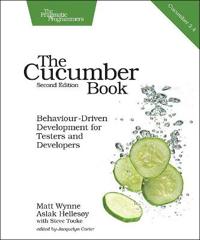
För att komma in i testskrivandet lite snabbare så läste jag The Cucumber Book - Behaviour-Driven Development for Testers and Developers. Här nedan kommer de partier jag markerat som "kom ihåg" under läsning.


Readability

When you're writing Cucumber features, make readability your main goal. Otherwise, a reader can easily feel more like they're reading a computer program than a specification document, which is something we want you to try to avoid at all costs. After all, if your features aren't easy for nonprogrammers to read, you might as well just be writing your tests in plain old Ruby code. The real key to expressive scenarios is having a healthy vocabulary of domain language to use to express your requirements. That said, using only the basic set of Gherkin keywords can often make your features repetitive, making them cluttered and awkward to read. By the end of this chapter you'll know everything there is to know about Gherkin's syntax, giving you all the tools you need to write clear, readable Cubumber acceptance tests.

System tests Vs unit tests

It's also worth thinking about whether some of the behavior you've specified in Cucumber scenarios could be pushed down and expressed in fast unit tests instead. Teams that enthusiastically embrace Cucumber sometimes forget to write unit tests as well and rely too much on slow integration tests for feedback. Try to think of your Cucumber scenarios as broad brush strokes that communicate the general behavior of the code to the business, but still try to get as good a coverage as you can from fast unit tests. Help make this happen by having testers and programmers work in pairs when implementing Cucumber scenarios. This pair can make good decisions about whether a piece of behavior necessarily needs to be implemented in a slow end-to-end Cucumber scenario and drive out the behavior using a fast unit test instead.

Överflödiga detaljer

Nedanstående test tas upp som ett exempel på ett test som innehåller alldeles för mycket detaljer på fel nivå.

Ett scenario för en e-postklient på webben:

Scenario: Check inbox
Given a User "Dave" with password "password"
And a User "Sue" with password "secret"
And an email to "Dave" from "Sue"
When I sign in as "Dave" with password "password"
Then I should see 1 email from "Sue" in my inbox

Användarnamnen är användbara, eftersom de är viktiga beståndsdelar i scenariot, men lösenorden är bara brus, de har inget att göra med det som testas och gör testet svårare att läsa. Till exempel så har Sue ett annat lösenord än Dave, vilket kan leda till att du som läsare av testet börjar fundera över om den delen är relevant och tappar då fokus från scenariots huvudsakliga mening, dvs: att testa att Dave kan se Sues email.

Lösenorden är alltså överflödiga detaljer (incidental details), detaljer som nämns i scenariot, men som saknar relevans för scenariots uppgift. 

Här är testet utan lösenord:

Scenario: Check inbox
Given a User "Dave"
And a User "Sue"
And an email to "Dave" from "Sue"
When I sign in as "Dave"
Then I should see 1 email from "Sue" in my inbox

En klar förbättring, mer lättläst och testets betydelse framträder tydligare. Ännu mer brus kan tas bort:

Scenario: Check inbox
Given I have received an email from "Sue"
When I sign in
Then I should see 1 email from "Sue" in my inbox

Nu är det ett koncist trestegs-scenario, som också är lättare att underhålla. Om användarautentiseringen måste ändras, så påverkar det inte själva testet utan bara koden bakom. 

When Cucumbers Go Bad: Imperative Steps

In computer programming, there are two contrasting styles for expressing the instructions you give to a computer to make it do something for you. These styles are called imperative programming and declarative programming.

Imperative programming means using a sequence of commands for the computer to perform in a particular order. Ruby is an example of an imperative language: you write a program as a series of statements that Ruby runs one at a time. 
A declarative program tells the computer what it should do without prescribing precisely how to do it. CSS is an example of a declarative language: you tell the computer what the various elements on a web page should look like, and you leave it to take care of the rest.

Exempel i imperativ stil:

Scenario: Redirect user to originally requested page after logging in
Given a User "dave" exists with password "secret"
And I am not logged in
When I navigate to the home page
Then I am redirected to the login form
When I fill in "Username" with "dave"
And I fill in "Password" with "secret"
And I press "Login"
Then I should be on the home page

Enligt författaren så kan man argumentera att ovanstående testexempel har en del fördelar. Men han menar på att man snart kommer drabbas av problem med test som lätt går sönder och uttråkade intressenter, t ex produktägaren. Test som skrivs på den stilen blir brusiga, långa, tråkiga att läsa och går lätt sönder. Till exempel en så liten ändring som en omdöpning av knappen från "Login" till "Log in" får testet att gå sönder.

Men det värsta är att språket inte tillhör den egentliga problemdomänen, utan blir mer lågnivå-språk med ord som "fill in" och "press", vilka tillhör gui-domänen.

Exemplet i deklarativ stil:

Scenario: Redirect user to originally requested page after logging in
Given I am an unauthenticated User
When I attempt to view som restriced content
Then I am shown a login form
When I authenticate with valid credentials
Then I should be shown the restricted content

Författaren skriver att det snygga med detta är att testet inte kopplas till en specifik implementation av användargränssnittet. Samma scenario kan användas för en desktop-app som en mobil-app.
Orden som används (unauthenticated, restricted, credentials) är förståeliga för en intressent som håller på med säkerhet.

It's true that using declarative style will mean you have to write more step definitions, but you can keep the code in those step definitions short and easy to maintain by pushing the actual work off into helper methods in your support code.

fredag 18 juni 2021

Write a ray tracer guided by Jamis Buck's test suite

Background

Having seen people write their own ray tracers, I've been curious about writing my own. And for a while I also believed I just could sit down and write one, without any help, until I tried. At least I failed fast :)

Fast forward a few years to the moment when I listened to the podcast Developer On Fire, where the interviewer asks the interviewee for book recommendations and the book The Ray Tracer Challenge - A Test-Driven Guide to Your First 3D renderer by Jamis Buck is mentioned. I bought it and started coding.


About the book
The book explains the theory you need and contains unit tests in Gherkin, which means that you can translate them to whichever programming language you want to use. 
Here's an example of a test that subtracts a point from another, which should result in a vector:


I used C# and NUnit, which made my test implementation look like this:


The algorithms that make the tests pass are written in pseudocode, so you have to translate them as well.

What I learned
Test first
I really liked the test first way of coding. It catched errors early which made it easier to spot and correct the bugs. It was good to build up a safety net of tests, because the code got pretty math intense and would be pretty hard to debug without them.

Funny / not funny
The fun part was the coding and to see the resulting images. But creating sceneries and trying out different settings was not that fun, which makes it pretty useless to have my own ray tracer to play around with...

Recreational coding
Jamis Buck has also written a book about how to generate mazes, something he did when recovering from a burn out. He's sharing that story in the pod Corecursive.

Examples of created images

Here's two examples of images I created. 

Snowflakes
This is supposed to look like falling snowflakes. I made it after learning how to create cylinders and cones and how to group simple shapes together.


The making of a kitchen table

Here's after learning to do cubes and planes and manipulate them, like scaling in different directions, move them and give them color and patterns. Also tried to do a kitchen lamp, but found out that the shadow logic was too simple so that a transparent object shadows as much as an opaque object.

Yes, I had at hard time positioning the table legs :)


The code

It took me quite a while to finish the book. The commit history shows that I began in June 2019 and finished in June 2021. I worked with it in bursts and often had long periods of inactivity.

I skipped the code for matrix manipulation, I used the MathNet.Numerics nuget package instead to faster advance to the chapters that resulted in images.

My github repo for this project.

When searching for The ray tracer challenge at github, I get 254 repo hits in 10 languages, where the most are in Rust (51), C++ (48), C# (32) and Go (17).

After finishing the book I also noticed that people have posted their learning journey on youtube, like this playlist.

söndag 19 maj 2019

One way to handle DateTime.Now when unit testing C# code

Hide DateTime.Now behind ITimeProvider?

To make code unit testable there is often a need to break dependencies between classes. This is normally done by hiding concrete implementations behind interfaces and injecting those interfaces  into the class that you want to test.

What if your code is dependent on the static DateTime.Now? Should you hide that behind an interface called ITimeProvider and suddenly have to pass that interface around?

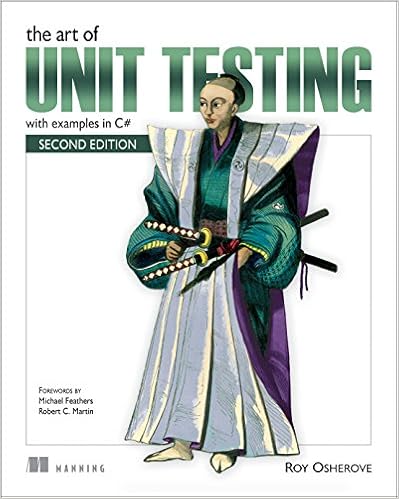
In his book "The Art of Unit Testing", Roy Osherove suggests that you don't and that you use a solution like this class instead:

 public class SystemTime  
 {  
   private static DateTime? _date;  
   
   public static void Set(DateTime custom)  
     => _date = custom; 
   
   public static void Reset()  
     => _date = null;  
   
   public static DateTime Now  
     => _date ?? DateTime.Now;  
 }  

If you create such a class, then you can replace all the calls to DateTime.Now in your code to SystemTime.Now.

And in your unit tests you can use SystemTime.Set() to set what date should be returned from SystemTime.Now. After each test run, make sure to call SystemTime.Reset(). That call is preferably put in a teardown method, like [TestCleanup] if you're using MSTest or [TearDown] in NUnit.


måndag 10 december 2018

Overuse Example of the Null Coalescing Operator (??) and Null-Conditional Operator (?.)

The sweet taste of syntactic sugar

From Wikipedia
In computer science, syntactic sugar is syntax within a programming language that is designed to make things easier to read or to express. It makes the language "sweeter" for human use: things can be expressed more clearly, more concisely, or in an alternative style that some may prefer.

Sometimes though, too much of the sweetness can become a mouthful.

Suppose you need this to guard against collections that are null or empty


but in the rush you head directly for the sweet style. Its shorter and doesn't repeat the variable name, but is it really more readable?


Last week I saw code like that. Since my own code was dependant on that method I really would like it to be correct. At a first glance it appeared to be buggy. So I tried it out in LinqPad and saw that it behaved totally correct and therefore felt a bit perplexed. Do you?

There's three cases
  1. collectionOfInts has at least one value
  2. collectionOfInts is empty
  3. collectionOfInts is null
I find the first and second case pretty straightforward, but I couldn't evaluate the null scenario in my head. For instance, I became unsure about the operator precedence between "!" and "??".

Unfolding

It was when I started to dissect the code it became apparent what it was that confused me.

I expanded
collectionOfInts?.Any() 

to
collectionOfInts == null ? null : collectionOfInts.Any()

and saw that I had a type conversion error. I had to cast null to a type.
collectionOfInts == null ? (bool?)null : collectionOfInts.Any()

Up until now I hadn't realized that the result from the "?."-operator was a nullable bool. Reading up on operator precedence I learned that the "!"-operator has much higher precedence than the "??". Those are two clues to what goes on here.

What type and value do you think the variable "result" will get in the code below?


As shown below, "result" is a nullable bool that is null! Not null is null!


This means that when collectionOfInts is null the code can be rewritten like this:
!collectionOfInts?.Any() ?? true 
!(bool?)null ?? true
(bool?)null ?? true
true


So, no sugar in this case?

After having discussed the code with the author and realizing that he also had trouble understanding what happens in the null case, I say "no"! The sugar is there to make the code more readable, but apparantly it doesn't in this case.

Make your own sugar

There is a solution though, that I find easiest to read, but was a bit surprising when I first saw it, and that is:
if (collectionOfInts.IsNullOrEmpty())

The thing that surprised me was that the author believed that you could call a method on an object that is null. But you kind of can. If the method is an extension method.

If you make an extension method like the one below it also works for strings, since a string implements IEnumerable<char>


Is it worth using the extension method and risking surprising a reader of the code?
People seem to disagree about that :)

https://stackoverflow.com/questions/790810/is-extending-string-class-with-isnullorempty-confusing
https://stackoverflow.com/questions/14196593/why-is-mystring-isnullorempty-not-built-into-net
https://stackoverflow.com/questions/8582344/does-c-sharp-have-isnullorempty-for-list-ienumerable

söndag 4 november 2018

Are the line numbers missing in the call stack of your logged exceptions?

Sometimes when being on a bug hunt it can be a great help to read the call stack of a logged exception and to be able to see which line the exception was thrown from.

So, if your logs lacks line numbers like this one below, you don't get that extra help...

System.NullReferenceException: Object reference not set to an instance of an object.
   at LineNumberDemo.Program.ThirdMethod(Int32 value)
   at LineNumberDemo.Program.SecondMethod(Int32 value)
   at LineNumberDemo.Program.FirstMethod(Int32 value)
   at LineNumberDemo.Program.Main(String[] args)


To fix that you have to change the Debugging information setting in the project's build settings. 
- Open the Properties for your project. 
- Click Build > Advanced and change "Debugging information" from "None" to "Pdb-only".


The pdb (Program database) files contains the infomation needed to map an instruction in your program to the original line in the source file. After changing that setting the log now looks like this:

System.NullReferenceException: Object reference not set to an instance of an object.
   at LineNumberDemo.Program.ThirdMethod(Int32 value) in C:\Code\LineNumberDemo\LineNumberDemo\Program.cs:line 42
   at LineNumberDemo.Program.SecondMethod(Int32 value) in C:\Code\LineNumberDemo\LineNumberDemo\Program.cs:line 35
   at LineNumberDemo.Program.FirstMethod(Int32 value) in C:\Code\LineNumberDemo\LineNumberDemo\Program.cs:line 29
   at LineNumberDemo.Program.Main(String[] args) in C:\Code\LineNumberDemo\LineNumberDemo\Program.cs:line 16


In Visual Studio 2017, "Pdb-only" is the default setting for the Release configuration, but I'm not sure it always has been, because I've seen lots of projects that did not include the pdb-files. They make the release bigger, but as long as that isn't a problem, I don't see any reason to not include them.


Good bug hunting!

söndag 28 januari 2018

Two subtle Linq-related bugs that ReSharper highlighted during code review

ReSharper, a productivity tool that helps you automate some of the code writing and also analyses the code written. The biggest drawback I find with it is that it makes the Visual Studio startup a lot slower. Yes, that is annoying, but I still value the code quality help it gives me more than a fast startup.

This is two examples of Linq-related bugs that ReSharper pointed out for me when I was reviewing code. I hope I would have found the bugs anyway, but Resharper made it a no-brainer to find them and almost impossible to miss.
The examples do not show the original code, only the same problems.
The code writers did not use ReSharper.

Example 1

This is example 1, without the help of ReSharper, do you see the problem?

This is the same code, but with ReSharper active, the problem is shown more clearly, isn't it?


The gray code in the if-block tells us that the code isn't used. Ok, so why isn't it used? Hoover over the blue squiggly-lined code and you will see:


Expression is always false. This hopefully makes a programmer with little experience in Linq to do some research to find out why. And then change the if-condition
projects == null 
to 
projects.Count == 0 
or 
!projects.Any()

Because Linq's ToList() does never return null, if no rows are matched an empty list is returned.

Example 2

This is a similar problem, do you see what the problem is this time?


With ReSharper activated it looks like this again, but not for the same reason.


The variable projects is not the resulting list of the query. It IS the query. A query that hasn't been executed. And therefore, since it is a query (or an IQueryable object) that is assigned to a value during creation, it cannot be null when the execution of the code reaches the if-condition.


Conclusions

These two bugs can to a code writer or reviewer be rather subtle, but with the help of ReSharper they are not so subtle. Subtle bugs can easily go under the review radar and if the code isn't tested thoroughly it can even reach production. And bugs having come that far are often more cumbersome/expensive to fix than if they had been caught earlier in the process.
That's why I find ReSharper worth its price, both when it comes to money and performance.

tisdag 16 januari 2018

C# Linq Equivalents in TypeScript

I have been looking for something like the C# Linq functions in TypeScript, but didn't have any luck. Today a colleague tipped about this site, where Linqs IEnumerable<T> extension methods are listed together with the methods TypeScript equivalent.

A few examples to give you an idea of what it can look like.


söndag 26 november 2017

Refactoring: Replace Magic Number with Symbolic Constant example i C#

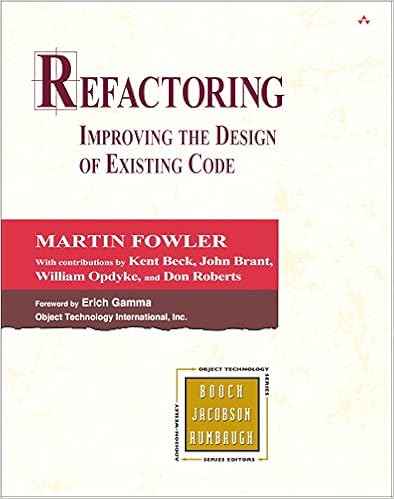
Part three in my series of refactors I've used the most from the book Refactoring - Improving the design of existing code.

Replace Magic Number with Symbolic Constant

You have a literal number with a particular meaning.
Create a constant, name it after the meaning, and replace the number with it.

Example 1

The code before

1:  double PotentialEnergy(double mass, double height)  
2:  {  
3:    return mass * 9.81 * height;  
4:  }  

The code after

1:  private const double GravitationalConstant = 9.81;  
2:    
3:  double PotentialEnergy(double mass, double height)  
4:  {  
5:    return mass * GravitationalConstant * height;  
6:  }  

Example 2

I thought I would find a better example, but it wasn't that easy, so I settled with just another example. The example below is from the page https://www.eliotsykes.com/magic-numbers, but I think the real world examples in the bottom of that page might give you a better understanding of how you can use constants.

The code before

1:  public bool AllowedToComment()  
2:  {  
3:    return _age >= 13 && CommentsInLastHour.Count < 20;  
4:  }  

The code after

1:  const int CommenterMinAge = 13;  
2:  const int MaxCommentsPerHour = 20;  
3:    
4:  public bool AllowedToComment()  
5:  {  
6:    return _age >= CommenterMinAge && CommentsInLastHour.Count < MaxCommentsPerHour;  
7:  }  

Motivation

Magic numbers are one of the oldest ills in computing. They are numbers with special values that usually are not obvious. Magic numbers are really nasty when you need to reference the same logical number in more than one place. If the numbers might ever change, making the change is a nightmare. Even if you don't make a change, you have the difficulty of figuring out what is going on.

The source code


måndag 13 november 2017

Refactoring: Introduce Explaining Variable example i C#

Part two in my series of refactors I've used the most from the book Refactoring - Improving the design of existing code.

Introduce Explaining Variable

More known as Extract Variable

You have a complicated expression.
Put the result of the expression, or parts of the expression, in a temporary variable with a name that explains the purpose.

Example 1: The code before

1:  if (platform.ToUpper().IndexOf("MAC") > -1 &&  
2:    browser.ToUpper().IndexOf("IE") > -1 &&  
3:    WasInitialized() && resize > 0)  
4:  {  
5:    // do something  
6:  }  

Example 1: The code after

1:  bool isMacOs = platform.ToUpper().IndexOf("MAC") > -1;  
2:  bool isIEBrowser = browser.ToUpper().IndexOf("IE") > -1;  
3:  bool wasResized = resize > 0;  
4:    
5:  if (isMacOs && isIEBrowser && WasInitialized() && wasResized)  
6:  {  
7:    // do something  
8:  }  

Example 2: The code before

1:  public double Price()  
2:  {  
3:    // price is base price - quantity discount + shipping  
4:    return _quantity * _itemPrice -  
5:        Math.Max(0, _quantity - 500) * _itemPrice * 0.05 +  
6:        Math.Min(_quantity * _itemPrice * 0.1, 100);  
7:  }  

Example 2: The code after

1:  public double Price()  
2:  {  
3:    var basePrice = _quantity * _itemPrice;  
4:    var quantityDiscount = Math.Max(0, _quantity - 500) * _itemPrice * 0.05;  
5:    var shipping = Math.Min(_quantity * _itemPrice * 0.1, 100);  
6:    return basePrice - quantityDiscount + shipping;  
7:  }  

Example 2: The code after (using Extract Method)

1:  public double Price()  
2:  {  
3:    return BasePrice() - QuantityDiscount() + Shipping();  
4:  }  
5:    
6:  private int BasePrice()  
7:  {  
8:    return _quantity * _itemPrice;  
9:  }  
10:    
11:  private double QuantityDiscount()  
12:  {  
13:    return Math.Max(0, _quantity - 500) * _itemPrice * 0.05;  
14:  }  
15:    
16:  private double Shipping()  
17:  {  
18:    return Math.Min(_quantity * _itemPrice * 0.1, 100);  
19:  }  

Example 2: The code after (using Expression Body Definitions)

If you're using C# 6 or above you can use Expression Body Definitions to shorten your methods.

1:  public double Price()  
2:    => BasePrice - QuantityDiscount + Shipping;  
3:    
4:  private int BasePrice   
5:    => _quantity * _itemPrice;  
6:    
7:  private double QuantityDiscount   
8:    => Math.Max(0, _quantity - 500) * _itemPrice * 0.05;  
9:    
10:  private double Shipping  
11:    => Math.Min(_quantity * _itemPrice * 0.1, 100);  

Motivation

Expressions can become very complex and hard to read. In such situations temporary variables can be helpful to break down the expression into something more manageable.
Introduce Explaining Variable is particularly valuable with conditional logic in which it is useful to take each clause of a condition and explain what the condition means with a well-named temp.

The source code


Personal thoughts

An easy-to-do refactoring that can do so much for the code readability. Low hanging fruit!

söndag 12 november 2017

Refactoring: Extract Method example in C#

Many years ago I read the book Refactoring - Improving the design of existing code by Martin Fowler and found that it contained lots of interesting thoughts about code readability.


Instead of just doing a reread of it, I thought it might be interesting to write about the refactors that I've had the most use of during my time as a (mostly web) developer.

The examples in the book are written i Java, I will copy and translate them to C#.

I begin the series with the Extract Method refactoring.

Extract Method

You have a code fragment that can be grouped together.
Turn the fragment into a method whose name explains the purpose of the method.

The code before

The example is a short method that prints out how much a customer owes.

1:  public void PrintOwing()  
2:  {  
3:    Decimal outstanding = 0;  
4:    
5:    // print banner  
6:    Console.Out.WriteLine("*************************");  
7:    Console.Out.WriteLine("***** Customer Owes *****");  
8:    Console.Out.WriteLine("*************************");  
9:    
10:    // calculate outstanding  
11:    foreach (var order in _orders)  
12:    {  
13:      outstanding += order.GetAmount();  
14:    }  
15:    
16:    // print details  
17:    Console.Out.WriteLine("name: " + _name);  
18:    Console.Out.WriteLine("amount: " + outstanding);  
19:  }  

The code after

The three sections in PrintOwing has been moved out to three separate methods, which makes the PrintOwing method really short and you get the big picture of what it does real easy.

1:  public void PrintOwing()  
2:  {  
3:    PrintBanner();  
4:    var outstanding = GetOutstanding();  
5:    PrintDetails(outstanding);  
6:  }  
7:    
8:  private void PrintBanner()  
9:  {  
10:    Console.Out.WriteLine("*************************");  
11:    Console.Out.WriteLine("***** Customer Owes *****");  
12:    Console.Out.WriteLine("*************************");  
13:  }  
14:    
15:  private decimal GetOutstanding()  
16:  {  
17:    Decimal outstanding = 0;  
18:    foreach (var order in _orders)  
19:    {  
20:      outstanding += order.GetAmount();  
21:    }  
22:    return outstanding;  
23:  }  
24:    
25:  private void PrintDetails(decimal outstanding)  
26:  {  
27:    Console.Out.WriteLine("name: " + _name);  
28:    Console.Out.WriteLine("amount: " + outstanding);  
29:  }  

Motivation

The big wins with the extract method refactoring is that the code is divided into fine grained chunks that increases the chance of code reuse, and that the code itself can be read more like a series of comments.

How to Refactor

Read more about how to do this refactor step-by-step and more here.

The source code

Personal thoughts


Replace foreach with Linq

I really like to Linq-ify code when it makes the code shorter and better expresses what it does. Like replacing a foreach loop with Linqs Sum method.

I prefer this
1:  private decimal GetOutstanding()  
2:  {  
3:    return _orders.Sum(order => order.GetAmount());  
4:  }  

instead of this
1:  private decimal GetOutstanding()  
2:  {  
3:    Decimal outstanding = 0;  
4:    foreach (var order in _orders)  
5:    {  
6:      outstanding += order.GetAmount();  
7:    }  
8:    return outstanding;  
9:  }  

because I think Sum shows more clearly than the foreach loop what we're after.

Thoughts that popped up during writing

The PrintOwing method was short to begin with. Did the three extract method operations really make it better? I've performed the extract method on much longer methods, where I clearly saw the advantage, but here I don't find it quite as clear.

One thing that happens when you extract code to smaller methods is that its makes the code easier to reuse. Suppose I want to print the same banner from another method, after the refactoring I can just call the PrintBanner method instead of copy-pasting the code.

So, what's the problem with copy-paste coding? Well, suppose you need to print the same banner in five different methods. If you haven't extracted the banner printing code to a separate method the same code will exist at five places. What happens when your customer wants you to change the banner layout, maybe change the "*" to a "#"? Will you find every copy of the banner printing code? With five different copies of it, I think the risk is high that some of the copies will be forgotten to be changed, and voila, you've created a bug!

My guess is that although PrintOwing was short from the start, it is possible to understand the big picture about what it does faster when it is even shorter. Compare these two really hypothetical eye movement scanning examples when reading the code to get the big picture of what PrintOwing does.

In the example above, you have to read a lot of code to understand the big picture of what the code does. That's bad, but on the other side, you get a good bit of insight into the details. You can see that the eyes make big jumps up and down when looking for a variable and what value it has been assigned to, and how it has been used. Details are mixed with the bigger picture.

In this second example the eyes have to scan a lot less code and don't have to do big jumps to find out where the variable gets its value from.

Maybe you would scan the code in the first example a lot different than I've drawn. Maybe you scan for comments, read them and skip the code. Well, I read comments as well, but my experience is that way too often the comment related to the code does not really match the code. The comment says one thing, and the code does something like it but not quite, or maybe even something waaay off.
In this example, the comments are replaced with the names of the methods the code is extracted to, so the problem can still exist, if the method is given a bad name it won't match the code it contains.


tisdag 5 september 2017

"ToLookup" to the rescue when "GroupBy" or "ToDictionary" isn't quite right for the job

More than once I've been writing code using LINQs GroupBy and ToDictionary methods with a feeling that the code didn't become as clear as I wanted it to be. I did some web searching, hoping that there might exist a third party library with a smart solution, but what I found though, was that I didn't even have to install another library, LINQ already contained a method for it!

I'll try to show you how ToLookup can be useful with a phony example.

Example

Suppose a group of smurfs take turn rolling a die and want us to print the result on the screen, like this:
 Smurfs that rolled a 1  
  - Grouchy Smurf  
  - Greedy Smurf  
   
 Smurfs that rolled a 2  
  - Smurfette  
   
 Smurfs that rolled a 3  
  - Papa Smurf  
  - Hefty Smurf  
   
 Smurfs that rolled a 4  
   
 Smurfs that rolled a 5  
  - Brainy Smurf  
   
 Smurfs that rolled a 6  
  - Clumsy Smurf  

For this I use a class to store each result in:
 class DieRollResult  
 {  
   public string Player { get; set; }  
   public int Value { get; set; }  
 }   

And a list to store all the results of a round in:
 var resultList = new List<DieRollResult>()  
 {  
   new DieRollResult{ Player= "Papa Smurf", Value = 3},  
   new DieRollResult{ Player= "Smurfette", Value = 2},  
   new DieRollResult{ Player= "Hefty Smurf", Value = 3},  
   new DieRollResult{ Player= "Brainy Smurf", Value = 5},  
   new DieRollResult{ Player= "Grouchy Smurf", Value = 1},  
   new DieRollResult{ Player= "Clumsy Smurf", Value = 6},  
   new DieRollResult{ Player= "Greedy Smurf", Value = 1},  
 };  

A solution using GroupBy

Notice the usage of SingleOrDefault to find the right group, it isn't possible to find it by using an index. 
Notice also that using this result set no smurf rolled a 4, and because empty groups like this are allowed a null check has to be done before iterating through the group to avoid a NullReferenceException.

A solution using GroupBy combined with ToDictionary

This time, notice the rather verbose expression to assign the variable resultGroups.
Notice also that this time, the group can be fetched using an index, but we still have to check if the dictionary really contains that index key to avoid a KeyNotFoundException.

A solution using ToLookup

So, finally, by using the ToLookup method, the assignment of the variable resultGroups is as short and clear as in the GroupBy example.
It is also possible to use an index to get the right group to iterate through. And since the ILookup object just returns an empty IEnumerable when it is indexed with a key that it doesn't contain, there is no need to check for null or if the key exists like we had to do in the other examples!

This is why I like the ToLookup method, it raises the signal-to-noise ratio a tiny bit, but sometimes it is just that small improvement that can make the code clearer. 

On the downside though, the method seems to be used so seldom that I think few programmers have seen it, so using it might make the code break the "Principle of least surprise".