Visar inlägg med etikett agile. Visa alla inlägg

onsdag 5 januari 2022

DevOps i 40-talets kolgruvor

Grundtankarna i DevOps inget nytt
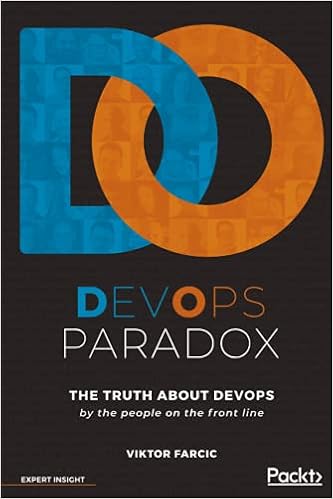
Boken DevOps Paradox - The truth about DevOps by the people on the front line av Viktor Farcic är en samling intervjuer med framträdande personer inom DevOps-rörelsen, där de får möjlighet att beskriva hur de definierar DevOps och deras tankar runt det, eftersom DevOps inte är en väldefinierad process enligt Victor:

The thing is, if there's anything that my years of working in the field have taught me, it's that DevOps is not a well-defined process. There is no set of rules that must be followed. As I discovered in my journey, and as you'll read in these pages, it's even questionable whether there is such a thing as a "DevOps department" or a "DevOps engineer". This ambiguity is exactly why DevOps is so fascinating to me, and I hope to you, the reader, as well.
En av personerna som intervjuas är Kevin Behr, som i sin intervju lyfter att DevOps-tänket med gemensamt mål, samarbete över gränser, kontinuerligt experimenterande och lärande användes naturligt som en "överlevnadsinstinkt" dolt nere i kolgruvorna på 40-talet. Nedan är en översättning av exemplet han tar upp i intervjun ihopbakat med lite av det han tar upp i sin dragning First In Last Out - devops roots in coal mining - Kevin Behr - devopsdays Pittsburgh 2014

Sociologer till kolgruvorna
Efter andra världskriget behövde kolproduktionen i Storbritannien öka som ett led i att snabba på återuppbyggandet av landet efter all förstörelse från kriget. Det låg alltså i nationens intresse att kolgruvornas produktion maximerades. För att uppnå detta anställde regeringen två sociologer, Eric Trist och Elliott Jacques, för att de skulle undersöka gruvorna som ett led i att se vilka som var mest produktiva och vad som gjorde att de var det.

Trist och Jacques upptäckte att alla lågproducerande gruvor hade en hög grad av automatisering, men att automatiseringen inte uppnådde förväntad produktivitetshöjning.

Vad funkar bäst? Team work!
Bland de många olika typerna av gruvdrifter hittade de en design som verkligen särskiljde sig, en design som hade flera gånger högre kolproduktion än de andra. Utöver hög produktion så hade den även signifikant färre skador och en mycket stark lagkänsla!

En annan skillnad de upptäckte var att arbetarna kom till jobbet som de skulle, vilket var en aning udda, för i andra gruvor var som regel 30% av arbetsstyrkan borta. Att jobba i kolgruva var farligt och det fanns många andra jobb i efterkrigstidens Storbritannien.

För att få reda på orsaken till arbetarnas höga närvaro i de högproducerande gruvorna så pratade Trist och Jacques med arbetarna när de kom tillbaka efter sina skift, men det gav inga ledtrådar till vad som kunde vara annorlunda. Så de började följa med arbetarna ner i gruvorna.

Embed from Getty Images
circa 1955: Welsh miners at work in a coal mine.

Självorganisering
Ovan jord så samlade skiftledaren alla arbetarna och gick igenom vad de förväntades göra. Men sen, väl nere i gruvan så märkte de direkt en skillnad: gruppen demokratiserade arbetet. De fokuserade på hela uppgiften, vad de skulle åstadkomma som arbetslag, istället för "jag fokuserar på mitt så gör du ditt".

De pratade om vad som skulle göras och delade upp arbetet mellan sig på ett lämpligt sätt, t ex "Vem drack inte igår? Ok, du får hantera sprängmedlen idag." Vem håller koll på säkerheten? Vem kör borren? De var självorganiserade och självreglerade.

Samtidigt prioriterade de att lära varandra sina uppgifter. På så sätt påverkades arbetsgruppens insats mindre en dag då någon hade ont eller kanske var tankspridd på grund av nåt som hänt i familjen så att personen inte klarade av sina vanliga uppgifter. Det var heller inte helt lätt att ta sig upp ur gruvan om nån blev allvarligt skadad under arbetet, därför behövde flera känna till hur man manövrerade de fordon och maskiner som behövdes för att ta sig ut.

Pareto-principen vid kunskapsspridning
Wikipedia beskriver Paretoprincipen såhär:
Paretoprincipen är en matematisk fördelning enligt vilken 20 procent av orsakerna ofta står för 80 procent av verkan; den kallas ibland även 80/20-regeln. Vilfredo Pareto visade att 20 procent av den italienska befolkningen innehade 80 procent av egendomen och denna observation har av andra senare generaliserats.
Inom mjukvaruutveckling verkar nedanstående gälla:
  • 80% av koden kan skrivas på 20% av tiden
  • 20% av koden har 80% av buggarna
  • 20% av funktionaliteten i ett program används 80% av tiden
Kevin Behr teoretiserar att gruvarbetarna utnyttjade Paretoprincipen för sin kunskapsspridning, det vill säga "lär mig 20% av kunskapen som behövs för att utföra din upgift till 80%". 

Om att lära sig varandras uppgifter på det sättet säger han: "And that is what DevOps is!"

Sociotechnical systems (STS)
Utifrån sin forskning angående kolgruvornas effektivitet så var Eric Trist med och myntade begreppet sociotechnical systems, där sociotechnical refererar till kopplingen mellan de sociala och tekniska aspekterna av en organisation eller samhället som helhet. På grund av att de tekniska och de sociala bitarna kan gå in i varandra så mycket, så måste man vid en optimering av en process ta hänsyn till båda bitarna (teknisk utveckling och kvalitén på personernas arbetsliv). För optimerar man bara en del så riskerar oväntade effekter från den andra delen att motverka optimeringen.

I kolgruvornas fall var det att man automatiserade gruvorna, men automatiseringen ledde till mer ensamarbete och arbetarnas arbetslivskvalité sjönk, vilket ledde till sämre mående och sämre arbetsmoral. Detta tas upp i podcasten Talking About Organizations avsnitt 34 Sociotechnical Systems – Trist and Bamforth

Vad ta med sig från detta?
Ja, vad man ska dra för lärdom av detta? Kanske att om man är på gång att införa DevOps på arbetsplatsen inte stirra sig blind på processerna och verktygen för automatisering av kontinuerlig integration/installation och automatiserade tester utan även ha fokus på det sociala samarbetet?

söndag 22 november 2020

Kanban for Software Development consists of three rules only (my memory told me anyway)

The three rules (in my head)

Kanban used for software development has in my mind been built on the three rules below.
  • Visualize the workflow
  • Limit Work In Progress (WIP)
  • Measure the lead time
And depending on the situation the team exists in, the rules can be narrowed down even more. Like, if the predictability isn't a big concern, the rule about measuring lead time can be left out. 
And also, if team members are conscientious enough about not starting too much new work before finishing already initiated work, the WIP limits don't seem to add much.
In that case, the only thing needed is to visualize your workflow. But if you don't do that either, then I find it hard to get anything out of Kanban.

So, that's the reason that one day when it became obvious that the tasks on my team's Kanban board was out of sync with reality, I told the developers:
- "If we don't keep the Kanban board in sync with reality, we follow none of the three rules only of Kanban!" 
One of them responded teasingly:
- "Well, what do you expect from a bunch of we'll-do-as-we-pleases?"
(The word used was "rättshaverister", but I can't translate that into a word that describes what I think the person meant).

There was no further discussion and the board was adjusted after a while. But having referred to rules brought up from my memory, I also remembered that when reading about them a few years ago I hadn't got a good grip on where they come from, what their original source is. So, before banging them in anyone's head again, it was time for a bit of research :)

The closest source: Kanban and Scrum, making the most of both

I remembered that I read about the rules in the book Kanban and Scrum, making the most of both by Henrik Kniberg and Mattias Skarin. 

So I began with trying to find more info there. There they were, with a short explanation for each rule. But I lost the word "rules", because the only thing the book says about them is "Kanban in a nutshell" and then lists the three points. Not a word about "rule".


Next up: Crisp's homepage

Both Henrik Kniberg and Mattias Skarin works at Crisp, so I took a look at Crisp's homepage. And yes, the same points are mentioned there, with just a touch of more context: 
"There are many flavors, but the core of Kanban means:"
Ok, so there are different flavors?! Like "Standards are good, everyone should have their own."?


On the page I also found this:
At Toyota, Kanban is the term used for the visual & physical signaling system that ties together the whole Lean Production system. Most agile m­ethods such as Scrum and XP are already well aligned with lean principles. In 2004, however, David Anderson pioneered a more direct implementation of Lean Thinking and Theory of Constraints to software development. Under the guidance of experts such as Don Reinertsen, this evolved into what David called a ”Kanban system for software development”, and which most people now simply refer to as ”Kanban”.
Wow, a pioneer, David Anderson seemed as a promising track to research further!

David Anderson, a pioneer

Crisp's homepage linked to the book Kanban: Successful Evolutionary Change for Your Technology Business by David Anderson. 

"If there is any book that will bring clarity to this, it will be this one!", I thought. 

What I found was:
Kanban uses five core properties to create an emergent set of Lean behaviors in organizations. These properties have been present in every succesful implementation, including the one at Microsoft described in chapter 4.
The five properties are:
  • Visualize Workflow
  • Limit Work-in-Progress
  • Measure and Manage Flow
  • Make Process Policies Explicit
  • Use Models to Recognize Improvement Opportunities
Ok... so "Properties", not "Rules". 

But five instead of three? The first three properties maps well to the ones mentioned before, but what do the two extra mean and why did Henrik and Mattias drop them? 

What the two "new" Kanban properties means

Make process policies explicit
This can be done by agreeing on and writing down the "Defintion of Done" policies you use between the different stages in your process. and perhaps putting them up on your board for good visibility.

Use models to recognize improvement opportunities
Your process can probably be improved by reducing "waste" or finding and act on bottlenecks. There are models for doing that, as David says:
Common models in use with Kanban includes the Theory of Constraints, Systems Thinking, an understanding of variability through the teachings of W. Edwards Deming, and the concept of muda (waste) from the Toyota Production System. The models used with Kanban are continually evolving, and ideas from other fields, such as sociology, psychology, and risk management are appearing in some implementations.

Why were they dropped?

David's book predates Henrik's, why has the number of properties gone from five to three? I asked that question on Crisp's Facebook page. None of the original authors answered me, but another author did, he pointed me to the next book, Kanban in action.

Others have been pondering this too in Kanban in Action

At first, reading the book Kanban in Action by Marcus Hammarberg and Joakim Sundén made it even
messier! But also revealed interesting info.

There is a section titled
Three principles? I thought it was five properties. Or was it six practices? 
which indicates that others have had a hard time finding their way to getting clarity about this. That section contains the text below.
The three basic principles we describe in this section make up the foundation that kanban is based on. Recently, David J. Anderson and others have extended the three basic principles to five properties and later six practices; these are now referred to as the core practices.

Anyway, this info and Google led me to David Anderson's latest defintion, called Principles and General Practices of Kanban.

A blog post about Principles and General Practices of Kanban

In March 18, 2020, David Anderson added a post on his blog, from where I've copied the text below. In his post he also examines each point a bit deeper.

In my book, Kanban – Successful Evolutionary Change for your Technology Business, I identified what I called the “5 core properties” that I’d observed to be present in each successful implementation of Kanban.

Since the book was published, we’ve expanded this list and they are now known as the Principles and General Practices of Kanban.

Principles of the Kanban Method …
  • Start with what you do now
  • Agree to pursue incremental, evolutionary change
  • Respect the current process, roles, responsibilities & titles
  • Encourage acts of leadership at all levels in your organization
General Practices of the Kanban Method …
  1. Visualize (the work, workflow and business risks)
  2. Limit WIP
  3. Manage Flow
  4. Make Process Explicit
  5. Implement Feedback Loops
  6. Improve Collaboratively, Evolve Experimentally (using models & the scientific method)


But Three, where did Three come from?

Well, I can't tell for sure. I've already put too much research effort into this and I think I can live without knowing that, although it doesn't feel like full closure... :) Anyway, now I know more about the  history of Kanban used in software development, which I hadn't if I hadn't tried finding the root of the Three Kanban rules in my mind.

Please, do leave a comment if you have interesting info regarding this! :)

torsdag 19 september 2019

Kan du sätta ord på dina känslor?


Jag har lett några förbättringsmöten (retrospectives) på sistone och inlett dem med aktiviteten One Word check-in med frågan: "Hur skulle du beskriva senaste sprinten med en känsla?"

Det verkar inte vara helt lätt att hitta orden för att beskriva sina känslor. Så här nedan kommer en lista med känslor. De kommer från en kortlek jag har haft sen jag lärde mig om nonviolent communication (nvc) eller giraffspråket. Eftersom nvc fokuserar mycket på både känslor och behov och båda fanns med i kortleken så fick det här inlägget därför en lista med behov som bonus!

En senare version av kortleken finns att beställa här.

På nätet hittade jag en sida som listar känslor man kan ha när ens behov är tillgodosedda och en sida för känslor när det är tvärtom.

Lista med känslor

Korten i kortleken var färgkodade som en slags gruppering. Ingen gruppering var dock namngiven, men det kanske är hyfsat tydligt ändå. Orden inom parentes antar jag är synonymer eller i alla fall ligger nära det första ordet.
  • Entusiastisk
  • Full av energi (energisk, livfull)
  • Glad (nöjd)
  • Lugn (avspänd, centrerad)
  • Lycklig (lekfull)
  • Lättad
  • Redo (startklar, i form)
  • Stolt (nöjd)
  • Säker
  • Tillfreds (fridfull)
  • Vaken (alert)

  • Berörd (lättad)
  • Förvånad (nyfiken)


  • Deprimerad
  • Förbannad (arg)
  • Hat (hämndlysten)
  • Naken (blottad)
  • Skuld
  • Sur (bitter)
  • Svartsjuk (avundsjuk)

  • Arg (irriterad)
  • Bekymrad (olycklig)
  • Besviken
  • Blyg (generad)
  • Ensam (liten)
  • Förakt (avsky)
  • Förtvivlad
  • Förvirrad (perplex)
  • Hungrig (sugen)
  • Illamående (äckel, avsmak)
  • Irriterad (frustrerad)
  • Ledsen (sorgsen)
  • Likgiltig (uttråkad)
  • Låg (energilös)
  • Maktlös (låg)
  • Nervös (spänd, orolig)
  • Otrygg (orolig)
  • Otålig (rastlös)
  • Panikslagen
  • Paralyserad
  • På dåligt humör (låg, nere)
  • Rasande
  • Rädd (ångestfylld)
  • Skamsen (ångerfull, skam)
  • Smärta
  • Sorgsen (deppad, nere)
  • Splittrad (disträ, kluven)
  • Sömnig (trött)
  • Trött (slutkörd)
  • Tveksam (splittrad, osäker)
  • Törstig
  • Utmattad (slut)

Lista med behov

  • Acceptans (betydelsefullhet)
  • Att bli förstådd (att bli sedd, empati)
  • Att bli lyssnad på (empati)
  • Att bli sedd (bekräftelse, erkännande)
  • Att följa sin drömmar
  • Att förstå (information)
  • Att ge till andra (att bidra)
  • Att hålla löften (integritet)
  • Att lära sig nåt nytt (utveckling, växande)
  • Att må bra (hälsa, hygien)
  • Att påverka (att göra skillnad, mening)
  • Att sörja (utrymme att sörja)
  • Äventyr (variation)
  • Avslappning (bus, avspänning)
  • Balans (jämvikt, ömsesidighet)
  • Bus (att ha kul, att fira)
  • Fred (harmoni, frid)
  • Frihet (frihet att välja - autonomi)
  • Gemenskap (samhörighet)
  • Hjälp (stöd)
  • Inspiration (kreativitet, att skapa)
  • Intimitet (sexuellt uttryck, sex)
  • Kärlek (värme, närhet)
  • Kommunikation (kontakt)
  • Lugn (ro)
  • Mat och dryck (näring)
  • Omtanke (ömhet, omsorg)
  • Omväxling (stimulans)
  • Ordning (reda, struktur)
  • Respekt (integritet)
  • Respekt (värdighet, självvärde)
  • Rörelse (motion)
  • Säkerhet (trygghet, förutsägbarhet)
  • Samarbete (delaktighet)
  • Sammanhang (mening)
  • Skönhet
  • Tillit (tilltro, förtroende)
  • Trygghet (skydd)
  • Värme (trygghet)
  • Vila (sömn)

lördag 24 augusti 2019

My two take-aways from the book Getting Things Done


Getting things done
I'm a book reader. It's seldom I quit a book before having read it front to back. But this book bored me so much I couldn't cope finish it. To its defence, I tried to read it on the summer 2018, during my vacation, and maybe I felt a bit too distant from work to think about email organizing and all other organizing tricks the book's about.

But two things stuck and proved useful for my vacation projects and also later at work:

  • Write a list with the things you have to do
  • For each item on the list, find the next action required to move the item closer to completion
Write a list
Offload your mind with the things you are thinking about that needs to be done by writing them down somewhere. At that time, for me it was at least the things in the list below that popped up in my mind like an endless, tiresome loop.
  • Fix the snow fences on the roof (you'll see the problem in the image at the top)
  • Fix the hole in the rain water downpipe
  • Defrost the small freezer
  • Buy an extra battery for the lawn mower
Find the next action
Every item on the list looks deviously simple, it is first when you break one down into all the actions that's needed to finish it that you get a feeling for how much effort you will have to put in to be able to check it off.

I first focused on the snow fences. Last winter's snowfall had been greater than usual and when the snow started to melt and slowly move down the roof of the garage it took all three snow fences with it. They had to be replaced before next winter to avoid getting our cars "locked" in or out because of snow blocking the garage doors.
  • How much can be reused of the existing snow fences?
    • Check which parts are fine
    • Check with dad if he got tools to bend back the bent ones
    • Where can I find replacement parts?
      • Google for spare parts
      • Visit the local hardware store
Well, I won't tell you the whole story, the list with actions grew for sure, but those were my first actions to take for that single list item. And it felt like a great help having been forced to analyze it and see it written on paper. So simple and effective, but undervalued and underused?

At work
So, what use did I have for this at work?
I found the question "What is the next action for this?" very useful when cleaning up a cluttered kanban board. Going through the items on the board, one by one, clarifying the purpose of the item, it's status and what action to do with it next.

Although the technique is so simple, I guess there often exists a small resistance to do it. It's probably easier to start with a new item, and that that's a reason work items on a board gets stuck and lump together. I wonder if the kanban rule of setting an upper limit on the number of "Work in progress" just is a help to get over that small resistance.


lördag 9 februari 2019

Have you tested these types of retrospectives?

The standard retro :)  :(  💡 
In the teams I've been a member of the standard retrospective has been variants of making a list of "What has been good, what has been bad, what can be improved". Sometimes this has been working very well, but sometimes the team runs out of ideas. Then it probably can be inspiring to do the retrospective a bit different than usual.

Activities from the book Agile Retrospectives
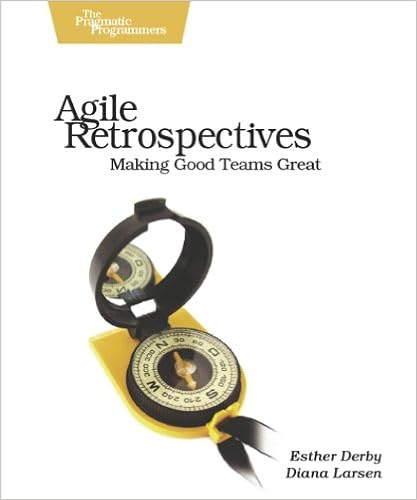
I'll use this post to shortly describe the types of retrospective activities that can be found in the book Agile Retrospectives, Making Good Teams Great. So read that book if you want more details.


If you're favourite activity for a retrospective isn't described below, I'd love it if you describe it in a comment to the post! 😃

The meeting structure
This is the meeting structure described in the book. Each stage got a list of activities that is a good fit for that stage. Some activities can be used in different stages of the meeting, but is listed only once.
  1. Set the stage.
    - Check-in
    - Focus on/Focus off
    - Explorer, shopper, vacationer, prisoner (ESVP)
    - Working agreements
  2. Gather data.
    - Timeline
    - Triple nickels
    - Color code dots
    - Mad sad glad
    - Locate strengths
    - Satisfaction histogram
    - Team radar
    - Like to like

    Will be covered in future posts
  3. Generate insights.
    - Brainstorming/filtering
    - Force field analysis
    - Five whys
    - Fishbone
    - Patterns and shifts
    - Prioritize with dots
    - Report out with synthesis
    - Identify themes
    - Learning matrix
  4. Decide what to do.
    - Retrospective planning game
    - SMART goals
    - Circle of questions
    - Short subjects
  5. Close the retrospective.
    - +/Delta
    - Appreciations
    - Temperature reading
    - Helped, hindered, hypothesis
    - Return on time invested (ROTI)
Activities to set the stage
Setting the stage prepares the team for the work they’ll do in the retrospective.

Check-in
Purpose:
Help people put aside other concerns and focus on the retrospective.
Help people articulate what they want from the retrospective.

How:
Ask one question that each person can answer with a word or two.

Examples: 
  • In one or two words, what is happening for you right now?
  • What is one thing that's on your mind?
Note:
It's OK to say "I pass"

Focus on/focus off
Purpose:
Help establish a mind-set for productive communication. Help participants set aside blaming and judgment—and fear of blaming and judgment.

How:
In small groups, discuss, reflect and describe the list of words in the list below. For example ,one pair of words per group. Focus on the first word, focus off the last word.
  • Inquiry rather than Advocacy
  • Dialogue rather than Debate
  • Conversation rather than Argument
  • Understanding rather than Defending

ESVP (Explorer, Shopper, Vacationer, Prisoner)
Purpose:
Focus people on the work of the retrospective. Understand people’s
attitudes to the retrospective. Use this to set the stage in a longer iteration, release, or project retrospective.

How:
Everyone reports anonymously his or her attitude toward the retrospective as one of the types in the list below. 
  • Explorers are eager to discover new ideas and insights. They want to learn everything they can about the iteration/release/project.
  • Shoppers will look over all the available information, and will be happy to go home with one useful new idea.
  • Vacationers aren’t interested in the work of the retrospective, but are happy to be away from the daily grind. They may pay attention some of the time, but they are mostly glad to be out of the office.
  • Prisoners feel that they’ve been forced to attend and would rather be doing something else.
The result is presented. If there is a prisoner or many vacationers that fact could be a topic for the retrospective.

Working agreements
Purpose:
Establish a set of behaviors that will support the team in having productive discussions. Establish that team members are responsible for monitoring their interactions. Provide candidates for day-to-day working agreements if the team doesn’t already have them.

How:
Team members work together to generate ideas for effective behaviors at work then choose five to seven agreements to guide team interactions or processes.

Activities to gather data
Gathering data creates a shared picture of what happened during the iteration, release, or project.

Timeline
Purpose:
Stimulate memories of what happened during the increment of work.

How:
Group members write down events that happened during the selected time period and want to share with the group. Each event is written on a separate paper and then placed on a timeline on a position that represents the time that the event took place.

Can be combined with a curve of how each person felt during the period. Each person can draw a line that stretches for the whole period. For moments that were good, draw the line high, for moments that were bad, draw the line low.


Triple nickels
Can also be used in the Decide what to do phase.

Purpose:
Uncover important topics about the period the retrospective is held for. Can also be used for generating ideas.

How:
Each person writes down topics or ideas on a paper. Then everbody passes the paper to the neighbour that writes down his or her topics or ideas related to the ones that already are on the paper. Repeat until that papers are back where they started.
Read the ideas for the group and discuss. Examples of usable debrief questions
  • Did anything surprise you?
  • Is anything missing?
  • What should we examine further?
I think this activity has been named Triple nickels because a person that used it asked three debriefing questions which she wanted five answers to, like "What five things stand out for you about what you've read?" A nickel is five cents.

Color code dots
Purpose:
Used in conjunction with a timeline to gather and show data about the feelings experienced during the timeline period.

How:
Use different colored stickers to mark the papers that were written for the timeline earlier. The color of the stickers indicate the energy level the person had when doing things related to the thing described on the paper.
Investigate the result, for example, if a paper got lots of high energy stickers, how come? What factors made people feel that way?

Mad sad glad
Purpose:
Get the feeling facts out on the table.

How:
Each person writes a card for every event that happened during the period that made the person mad, sad or glad. Cluster cards that is related to the same event and analyse the clusters.

Locate strengths
Purpose:
Identify strengths so the team can build on them in the next iteration.

How:
Pair up and interview each other with a focus on what went well and factors around it.

Satisfaction histogram
Purpose:
Highlight how satisfied team members are with a focus area. Provide a visual picture of current status in a particular area to help the team have deeper discussions and analysis. Acknowledge differences in perspective among team members.

How:
Each person anonymously grades his/her satisfaction with a certain focus area. Read the answers and draw a histogram to make the data visible.
Focus area examples:

  • teamwork
  • product
  • process
Grade descriptions example when focusing on team work:
  1. = I'm unhappy and dissatisfied with our level of teamwork
  2. = I have some moments of satisfaction, but not enough
  3. = I'm fairly satisfied. We work well together most of the time.
  4. = I am glad I'm a part of the team and satisfied with how our team works together
  5. = I think we are the best team on the planet! We work great together.

For a rather big team, that has a wide range of satisfaction for a topic, a histogram could look like the image below.


Team Radar
Purpose:
Help the team gauge how well they are doing on a variety of measures, such as, engineering practices, team values, or other processes.

How:
Each person grades (0-10) how well the team is performing for different factors. Present the average values in a diagram. Save it to be able to compare to the result next time doing the same activity.


Like to like
Purpose:
Help team members recall their experiences during the iteration and hear that others may have perceived it differently.

How:
Like to like is a team work variant of the game Apples to apples. Each person writes cards with things to stop doing, things to keep doing and things to start doing. These cards are then used in the game, and the players will try to find the best match of their cards to another card presented by a player having the role as judge.
Discuss insights from the game afterwards.


More activities
I'll try to write another post about the remaining activities described in the book later on. I hope this post has given you a sketchy picture of a few activities you'd like to try and/or read more about.

Here's two links to other resources for retrospective activities.
http://retrospectivewiki.org

tisdag 22 januari 2019

Four quick ways to know your peers' opinions: Dot voting, Roman voting, Fists of five and 1-2-4-all

What do your team members really think?

Imagine you are part of a team with six members and that you have an idea of a better furniture arrangement in your team room. You visualise your idea by drawing a sketch of it on the whiteboard and show it to your team. You ask your five peers if they like the idea.

  • One says 'yes',
  • one nods his head vaguely,
  • one turns around to his computer and gets to work again,
  • one sits staring and says nothing,
  • one asks 'When?'
    You answer 'Today, tomorrow? Better sooner than later.'
    She answers 'Perhaps'.


Now what?
Do you have consensus?
Can you go on with your idea and start moving things around?

To find out more what your peers really think, you could ask them to participate in a quick Roman voting.

Roman voting

You can ask 'Do you want to rearrange the furniture according to my idea?' and the people in your team can answer with their thumbs:

  • Thumb up = Yes, absolutely, go ahead!
  • Thumb sideway = Don't know or don't care, works for me.
  • Thumb down = No, absolutely not!

After the vote you will get a better understanding of where people stand. And the persons who vote thumb down can get a chance to make their thoughts heard. Perhaps they can find the idea attractive enough with a few adjustments that better suit their needs?

Fists of five

Same concept as Roman voting, but with more nuance because you use all fingers on one hand to grade what you think.
  • Five fingers: This is a great idea. I wish I’d thought of it.
  • Four fingers: This is a good idea and has my full support.
  • Three fingers: I’m neutral. The idea is OK. Maybe there’s a better idea. Maybe not.
  • Two fingers: I don’t like this idea. I’d prefer we do something different.
  • One finger: This is a project-threatening decision. We need to pursue an alternative.


Dot voting

When there are multiple alternatives to choose among, each person can use a number of dots to distribute among the alternatives that person feels most for. The alternatives with the most dots are the alternatives that the team is most interested in.


1-2-4-all

A technique to try to reach consensus. 
  • Everyone starts to think about what his own thoughts about something are.
  • Then people pair up and try to reach consensus in their two person group.
  • Then the pairs pair up to get groups of four and try to reach consensus in that group
  • Then the whole group tries to reach consensus, by this time lots of pros and cons of different alternatives can have been discussed.

Two young people demonstrating a lively conversation

More info

My initial thought was to make this post about thumb voting only, but then I found this page that describes all four techniques in more detail and also has a decision tree as a help to choose when to use what technique. 

tisdag 8 mars 2016

Investigation of the Scrum Master role

I had a discussion with a person about the scrum master role, regarding what tasks are included in the role. He said it mainly was facilitation of meetings and to unburden the team from administrative tasks like making sure required program licenses got bought. I had a feeling a scrum master has much more on his responsibility, but wasn't quite sure of what, so the discussion ended there.

This is a small investigation of what the scrum master role includes to hopefully make that feeling of uncertainty go away.


So, after skimming some, reading some and analyzing some of the content that the links goes to this is my summary of the responsibilities of the scrum master. There could absolutely be more points and on a deeper level, but this suits my needs at the moment.
  • Learn scrum, keep updated and teach the team.
  • Find and act on warning signs.
    Daily stand-ups are one possibility for noticing warning signs about something not rolling as it should.
    The burn-down chart another, is it too flat, why? Is there any impediments? Can they be solved? Is there a need to spread knowledge to avoid being too dependent on a single team member?
    Is the burn-down too steep? Why?
  • Keeping an eye on the process. Does it run smoothly, does the team follow the agreed process? For example, are stories worked on in correct prio order? Do team members help each other?
  • And yes, facilitation of meetings and identifying any infrastructure impediments like need of licenses or servers.
  • Help the Product Owner with the product backlog, like making sure stories are clear, of right size and assist if there are any doubts about prioritization.
  • Information radiation. Important information should be visible to all stakeholders. Increases the transparency.
UPDATE 2017-01-23
I´m on a new job. Another company just beginning its trip on the path to agility. I´ve been researching more and I think I´ve found the best scrum master description so far.

This is the first part of the description of the scrum master role in the scrum primer:

The ScrumMaster helps the product group learn and apply Scrum to achieve business value. The ScrumMaster does whatever is in their power to help the Team, Product Owner and organization be successful. The ScrumMaster is not the manager of the Team members, nor are they a project manager, team lead, or team representative. Instead, the ScrumMaster serves the Team; he or she helps to remove impediments, protects the Team from outside interference, and helps the Team to adopt modern development practices. He or she educates, coaches and guides the Product Owner, Team and the rest of the organization in the skillful use of Scrum. The ScrumMaster is a coach and teacher. The ScrumMaster makes sure everyone (including the Product Owner, and those in management) understands the principles and practices of Scrum, and they help lead the organization through the often difficult change required to achieve success with agile development. Since Scrum makes visible many impediments and threats to the Team’s and Product Owner’s effectiveness, it is important to have an engaged ScrumMaster working energetically to help resolve those issues, or the Team or Product Owner will find it difficult to succeed. There should be a dedicated full-time ScrumMaster, although a smaller Team might have a team member play this role (carrying a lighter load of regular work when they do so). Great ScrumMasters can come from any background or discipline: Engineering, Design, Testing, Product Management, Project Management, or Quality Management.