söndag 26 november 2017

Refactoring: Replace Magic Number with Symbolic Constant example i C#

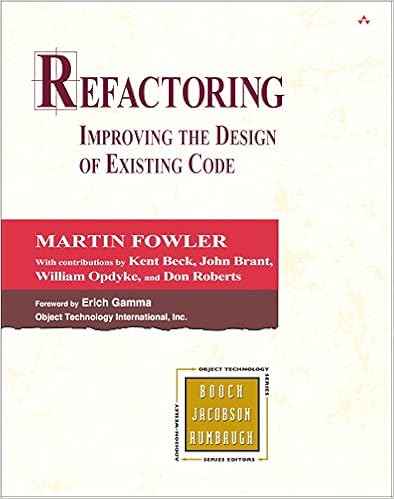
Part three in my series of refactors I've used the most from the book Refactoring - Improving the design of existing code.

Replace Magic Number with Symbolic Constant

You have a literal number with a particular meaning.
Create a constant, name it after the meaning, and replace the number with it.

Example 1

The code before

1:  double PotentialEnergy(double mass, double height)  
2:  {  
3:    return mass * 9.81 * height;  
4:  }  

The code after

1:  private const double GravitationalConstant = 9.81;  
2:    
3:  double PotentialEnergy(double mass, double height)  
4:  {  
5:    return mass * GravitationalConstant * height;  
6:  }  

Example 2

I thought I would find a better example, but it wasn't that easy, so I settled with just another example. The example below is from the page https://www.eliotsykes.com/magic-numbers, but I think the real world examples in the bottom of that page might give you a better understanding of how you can use constants.

The code before

1:  public bool AllowedToComment()  
2:  {  
3:    return _age >= 13 && CommentsInLastHour.Count < 20;  
4:  }  

The code after

1:  const int CommenterMinAge = 13;  
2:  const int MaxCommentsPerHour = 20;  
3:    
4:  public bool AllowedToComment()  
5:  {  
6:    return _age >= CommenterMinAge && CommentsInLastHour.Count < MaxCommentsPerHour;  
7:  }  

Motivation

Magic numbers are one of the oldest ills in computing. They are numbers with special values that usually are not obvious. Magic numbers are really nasty when you need to reference the same logical number in more than one place. If the numbers might ever change, making the change is a nightmare. Even if you don't make a change, you have the difficulty of figuring out what is going on.

The source code


måndag 13 november 2017

Refactoring: Introduce Explaining Variable example i C#

Part two in my series of refactors I've used the most from the book Refactoring - Improving the design of existing code.

Introduce Explaining Variable

More known as Extract Variable

You have a complicated expression.
Put the result of the expression, or parts of the expression, in a temporary variable with a name that explains the purpose.

Example 1: The code before

1:  if (platform.ToUpper().IndexOf("MAC") > -1 &&  
2:    browser.ToUpper().IndexOf("IE") > -1 &&  
3:    WasInitialized() && resize > 0)  
4:  {  
5:    // do something  
6:  }  

Example 1: The code after

1:  bool isMacOs = platform.ToUpper().IndexOf("MAC") > -1;  
2:  bool isIEBrowser = browser.ToUpper().IndexOf("IE") > -1;  
3:  bool wasResized = resize > 0;  
4:    
5:  if (isMacOs && isIEBrowser && WasInitialized() && wasResized)  
6:  {  
7:    // do something  
8:  }  

Example 2: The code before

1:  public double Price()  
2:  {  
3:    // price is base price - quantity discount + shipping  
4:    return _quantity * _itemPrice -  
5:        Math.Max(0, _quantity - 500) * _itemPrice * 0.05 +  
6:        Math.Min(_quantity * _itemPrice * 0.1, 100);  
7:  }  

Example 2: The code after

1:  public double Price()  
2:  {  
3:    var basePrice = _quantity * _itemPrice;  
4:    var quantityDiscount = Math.Max(0, _quantity - 500) * _itemPrice * 0.05;  
5:    var shipping = Math.Min(_quantity * _itemPrice * 0.1, 100);  
6:    return basePrice - quantityDiscount + shipping;  
7:  }  

Example 2: The code after (using Extract Method)

1:  public double Price()  
2:  {  
3:    return BasePrice() - QuantityDiscount() + Shipping();  
4:  }  
5:    
6:  private int BasePrice()  
7:  {  
8:    return _quantity * _itemPrice;  
9:  }  
10:    
11:  private double QuantityDiscount()  
12:  {  
13:    return Math.Max(0, _quantity - 500) * _itemPrice * 0.05;  
14:  }  
15:    
16:  private double Shipping()  
17:  {  
18:    return Math.Min(_quantity * _itemPrice * 0.1, 100);  
19:  }  

Example 2: The code after (using Expression Body Definitions)

If you're using C# 6 or above you can use Expression Body Definitions to shorten your methods.

1:  public double Price()  
2:    => BasePrice - QuantityDiscount + Shipping;  
3:    
4:  private int BasePrice   
5:    => _quantity * _itemPrice;  
6:    
7:  private double QuantityDiscount   
8:    => Math.Max(0, _quantity - 500) * _itemPrice * 0.05;  
9:    
10:  private double Shipping  
11:    => Math.Min(_quantity * _itemPrice * 0.1, 100);  

Motivation

Expressions can become very complex and hard to read. In such situations temporary variables can be helpful to break down the expression into something more manageable.
Introduce Explaining Variable is particularly valuable with conditional logic in which it is useful to take each clause of a condition and explain what the condition means with a well-named temp.

The source code


Personal thoughts

An easy-to-do refactoring that can do so much for the code readability. Low hanging fruit!

söndag 12 november 2017

Refactoring: Extract Method example in C#

Many years ago I read the book Refactoring - Improving the design of existing code by Martin Fowler and found that it contained lots of interesting thoughts about code readability.


Instead of just doing a reread of it, I thought it might be interesting to write about the refactors that I've had the most use of during my time as a (mostly web) developer.

The examples in the book are written i Java, I will copy and translate them to C#.

I begin the series with the Extract Method refactoring.

Extract Method

You have a code fragment that can be grouped together.
Turn the fragment into a method whose name explains the purpose of the method.

The code before

The example is a short method that prints out how much a customer owes.

1:  public void PrintOwing()  
2:  {  
3:    Decimal outstanding = 0;  
4:    
5:    // print banner  
6:    Console.Out.WriteLine("*************************");  
7:    Console.Out.WriteLine("***** Customer Owes *****");  
8:    Console.Out.WriteLine("*************************");  
9:    
10:    // calculate outstanding  
11:    foreach (var order in _orders)  
12:    {  
13:      outstanding += order.GetAmount();  
14:    }  
15:    
16:    // print details  
17:    Console.Out.WriteLine("name: " + _name);  
18:    Console.Out.WriteLine("amount: " + outstanding);  
19:  }  

The code after

The three sections in PrintOwing has been moved out to three separate methods, which makes the PrintOwing method really short and you get the big picture of what it does real easy.

1:  public void PrintOwing()  
2:  {  
3:    PrintBanner();  
4:    var outstanding = GetOutstanding();  
5:    PrintDetails(outstanding);  
6:  }  
7:    
8:  private void PrintBanner()  
9:  {  
10:    Console.Out.WriteLine("*************************");  
11:    Console.Out.WriteLine("***** Customer Owes *****");  
12:    Console.Out.WriteLine("*************************");  
13:  }  
14:    
15:  private decimal GetOutstanding()  
16:  {  
17:    Decimal outstanding = 0;  
18:    foreach (var order in _orders)  
19:    {  
20:      outstanding += order.GetAmount();  
21:    }  
22:    return outstanding;  
23:  }  
24:    
25:  private void PrintDetails(decimal outstanding)  
26:  {  
27:    Console.Out.WriteLine("name: " + _name);  
28:    Console.Out.WriteLine("amount: " + outstanding);  
29:  }  

Motivation

The big wins with the extract method refactoring is that the code is divided into fine grained chunks that increases the chance of code reuse, and that the code itself can be read more like a series of comments.

How to Refactor

Read more about how to do this refactor step-by-step and more here.

The source code

Personal thoughts


Replace foreach with Linq

I really like to Linq-ify code when it makes the code shorter and better expresses what it does. Like replacing a foreach loop with Linqs Sum method.

I prefer this
1:  private decimal GetOutstanding()  
2:  {  
3:    return _orders.Sum(order => order.GetAmount());  
4:  }  

instead of this
1:  private decimal GetOutstanding()  
2:  {  
3:    Decimal outstanding = 0;  
4:    foreach (var order in _orders)  
5:    {  
6:      outstanding += order.GetAmount();  
7:    }  
8:    return outstanding;  
9:  }  

because I think Sum shows more clearly than the foreach loop what we're after.

Thoughts that popped up during writing

The PrintOwing method was short to begin with. Did the three extract method operations really make it better? I've performed the extract method on much longer methods, where I clearly saw the advantage, but here I don't find it quite as clear.

One thing that happens when you extract code to smaller methods is that its makes the code easier to reuse. Suppose I want to print the same banner from another method, after the refactoring I can just call the PrintBanner method instead of copy-pasting the code.

So, what's the problem with copy-paste coding? Well, suppose you need to print the same banner in five different methods. If you haven't extracted the banner printing code to a separate method the same code will exist at five places. What happens when your customer wants you to change the banner layout, maybe change the "*" to a "#"? Will you find every copy of the banner printing code? With five different copies of it, I think the risk is high that some of the copies will be forgotten to be changed, and voila, you've created a bug!

My guess is that although PrintOwing was short from the start, it is possible to understand the big picture about what it does faster when it is even shorter. Compare these two really hypothetical eye movement scanning examples when reading the code to get the big picture of what PrintOwing does.

In the example above, you have to read a lot of code to understand the big picture of what the code does. That's bad, but on the other side, you get a good bit of insight into the details. You can see that the eyes make big jumps up and down when looking for a variable and what value it has been assigned to, and how it has been used. Details are mixed with the bigger picture.

In this second example the eyes have to scan a lot less code and don't have to do big jumps to find out where the variable gets its value from.

Maybe you would scan the code in the first example a lot different than I've drawn. Maybe you scan for comments, read them and skip the code. Well, I read comments as well, but my experience is that way too often the comment related to the code does not really match the code. The comment says one thing, and the code does something like it but not quite, or maybe even something waaay off.
In this example, the comments are replaced with the names of the methods the code is extracted to, so the problem can still exist, if the method is given a bad name it won't match the code it contains.


lördag 9 september 2017

Livemap24, shows public transports on a map in "realtime"


The site Livemap24 shows millions of individually tracked public transport units on a navigatable map. It seems to be real time, but when reading discussions about it, it seems like they don't have enough data to be able to show exact positions for all of them. Some probably just are best guessed from a time table.

Cool idea that can be better when more open data becomes available!


Individually tracked bus in Årsta, Stockholm.

Is this heart rate signature normal? (Or is it a hardware / software / biological bug?)

During the current running season I bought myself a Garmin Forerunner 235 gps watch, which have given me more insights into my running. Before I didn't get statistics of my cadence or heart rate (and was a bit worried that my phone would take damage if it started to rain when out for a run).

Now that I have gathered heart rate statistics for a while, I see a recurring pattern in almost all of my heart rate diagrams. In the beginning of the run the heart rate is rather stable at a value, but suddenly there is a threshold and the heart rate jumps to a stable significantly higher pace.


I think it makes perfectly sense that the heart rate increases during running, but I find that steep rise a bit odd and therefore wonder what could cause it. I suspect that my wrist becoming sweaty after a while can play a role in this, but still, I think that wouldn't show up as that steep in the diagram.

This season I mostly have been running 5 km runs and haven't been doing any warm-up before starting running. 

Here are other diagrams.

This diagram looks more what I would suspect most of the diagrams would look like, but its kind is rare for me.


A seven km run with a jump from 120 to 170+ at around 3 km.

 A five km run with a jump from 140 to 170 at around 3,5 km.

A five km run with a jump from 120- to 160+ at around 1 km.


So, it this anything that looks familiar to you? In that case, any idea what causes the steep rise?


Want to learn? 3 months Pluralsight for free. If you haven't tried it, I really advise you to because I like it a lot!

I have taken a few courses on Pluralsight to learn about WPF, ASP.NET MVC and Linq. My experience is that it is a really fast way to get into something. The courses are nicely separated into different modules and sections, so if you feel you already know some of the content it is easy to navigate to the parts that you need to know more about.

And I prefer to learn something by having someone speaking about it than to just read about it.

To get your free months, you have to sign-up on Visual Studio in the cloud, but that's also free. Just follow the instructions linked below.

https://devopscube.com/pluralsight-free-subscription/

I'm on to learn some basics about Angular 2, just to get a grip on what it's about.

In case you use the offer, hope you'll have a nice learning experience!

tisdag 5 september 2017

"ToLookup" to the rescue when "GroupBy" or "ToDictionary" isn't quite right for the job

More than once I've been writing code using LINQs GroupBy and ToDictionary methods with a feeling that the code didn't become as clear as I wanted it to be. I did some web searching, hoping that there might exist a third party library with a smart solution, but what I found though, was that I didn't even have to install another library, LINQ already contained a method for it!

I'll try to show you how ToLookup can be useful with a phony example.

Example

Suppose a group of smurfs take turn rolling a die and want us to print the result on the screen, like this:
 Smurfs that rolled a 1  
  - Grouchy Smurf  
  - Greedy Smurf  
   
 Smurfs that rolled a 2  
  - Smurfette  
   
 Smurfs that rolled a 3  
  - Papa Smurf  
  - Hefty Smurf  
   
 Smurfs that rolled a 4  
   
 Smurfs that rolled a 5  
  - Brainy Smurf  
   
 Smurfs that rolled a 6  
  - Clumsy Smurf  

For this I use a class to store each result in:
 class DieRollResult  
 {  
   public string Player { get; set; }  
   public int Value { get; set; }  
 }   

And a list to store all the results of a round in:
 var resultList = new List<DieRollResult>()  
 {  
   new DieRollResult{ Player= "Papa Smurf", Value = 3},  
   new DieRollResult{ Player= "Smurfette", Value = 2},  
   new DieRollResult{ Player= "Hefty Smurf", Value = 3},  
   new DieRollResult{ Player= "Brainy Smurf", Value = 5},  
   new DieRollResult{ Player= "Grouchy Smurf", Value = 1},  
   new DieRollResult{ Player= "Clumsy Smurf", Value = 6},  
   new DieRollResult{ Player= "Greedy Smurf", Value = 1},  
 };  

A solution using GroupBy

Notice the usage of SingleOrDefault to find the right group, it isn't possible to find it by using an index. 
Notice also that using this result set no smurf rolled a 4, and because empty groups like this are allowed a null check has to be done before iterating through the group to avoid a NullReferenceException.

A solution using GroupBy combined with ToDictionary

This time, notice the rather verbose expression to assign the variable resultGroups.
Notice also that this time, the group can be fetched using an index, but we still have to check if the dictionary really contains that index key to avoid a KeyNotFoundException.

A solution using ToLookup

So, finally, by using the ToLookup method, the assignment of the variable resultGroups is as short and clear as in the GroupBy example.
It is also possible to use an index to get the right group to iterate through. And since the ILookup object just returns an empty IEnumerable when it is indexed with a key that it doesn't contain, there is no need to check for null or if the key exists like we had to do in the other examples!

This is why I like the ToLookup method, it raises the signal-to-noise ratio a tiny bit, but sometimes it is just that small improvement that can make the code clearer. 

On the downside though, the method seems to be used so seldom that I think few programmers have seen it, so using it might make the code break the "Principle of least surprise".