tisdag 16 april 2019

How a poorly chosen default value got a farm in trouble

Null Island
Have you heard about Null Island?
You find it southwest of Africa at the coordinates 0,0.

The thing is though, that there is no real island, only a buoy. Null Island is used to find geocoding errors, when finding a position for something fails and the coordinates become (null, null) or (0,0), Null Island is there as a default place for unmappable values.


A story of a poorly chosen default value
If you don't reflect about what default values you use, people can get in trouble, as in this true story.

In short, this is what happened:
  • A company in USA offers a service where you can enter an IP-address and the service responds with a geolocation where the computer is located.
  • When the mapping of a IP-address to a location fails, the company used the middle of USA as a default value.
  • Lots of IP-addresses can't be mapped correctly and are therefore mapped to the default value.
  • People, companies and the police are trying to find people through this service.
    Why trying to find someone via an IP-address? Suppose someone has used a computer to scam or threaten you, or used it for some other shady behaviour.
  • The default value points to a lone farm. A farm that suddenly receives angry phone calls, visits by strangers and the police. The people living at the farm has no clue to why this happens...
The company that offered the service eventually became aware of the problems of the farm and changed the default value to point to the middle of a body of water instead.


lördag 9 februari 2019

Have you tested these types of retrospectives?

The standard retro :)  :(  💡 
In the teams I've been a member of the standard retrospective has been variants of making a list of "What has been good, what has been bad, what can be improved". Sometimes this has been working very well, but sometimes the team runs out of ideas. Then it probably can be inspiring to do the retrospective a bit different than usual.

Activities from the book Agile Retrospectives
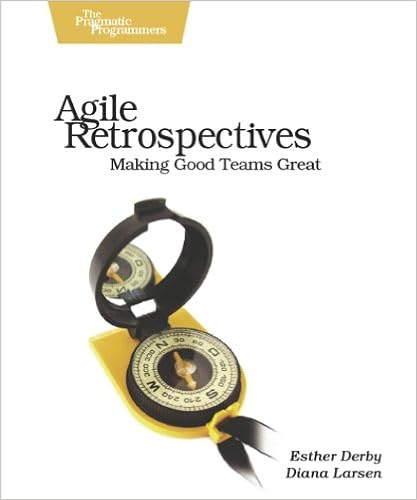
I'll use this post to shortly describe the types of retrospective activities that can be found in the book Agile Retrospectives, Making Good Teams Great. So read that book if you want more details.


If you're favourite activity for a retrospective isn't described below, I'd love it if you describe it in a comment to the post! 😃

The meeting structure
This is the meeting structure described in the book. Each stage got a list of activities that is a good fit for that stage. Some activities can be used in different stages of the meeting, but is listed only once.
  1. Set the stage.
    - Check-in
    - Focus on/Focus off
    - Explorer, shopper, vacationer, prisoner (ESVP)
    - Working agreements
  2. Gather data.
    - Timeline
    - Triple nickels
    - Color code dots
    - Mad sad glad
    - Locate strengths
    - Satisfaction histogram
    - Team radar
    - Like to like

    Will be covered in future posts
  3. Generate insights.
    - Brainstorming/filtering
    - Force field analysis
    - Five whys
    - Fishbone
    - Patterns and shifts
    - Prioritize with dots
    - Report out with synthesis
    - Identify themes
    - Learning matrix
  4. Decide what to do.
    - Retrospective planning game
    - SMART goals
    - Circle of questions
    - Short subjects
  5. Close the retrospective.
    - +/Delta
    - Appreciations
    - Temperature reading
    - Helped, hindered, hypothesis
    - Return on time invested (ROTI)
Activities to set the stage
Setting the stage prepares the team for the work they’ll do in the retrospective.

Check-in
Purpose:
Help people put aside other concerns and focus on the retrospective.
Help people articulate what they want from the retrospective.

How:
Ask one question that each person can answer with a word or two.

Examples: 
  • In one or two words, what is happening for you right now?
  • What is one thing that's on your mind?
Note:
It's OK to say "I pass"

Focus on/focus off
Purpose:
Help establish a mind-set for productive communication. Help participants set aside blaming and judgment—and fear of blaming and judgment.

How:
In small groups, discuss, reflect and describe the list of words in the list below. For example ,one pair of words per group. Focus on the first word, focus off the last word.
  • Inquiry rather than Advocacy
  • Dialogue rather than Debate
  • Conversation rather than Argument
  • Understanding rather than Defending

ESVP (Explorer, Shopper, Vacationer, Prisoner)
Purpose:
Focus people on the work of the retrospective. Understand people’s
attitudes to the retrospective. Use this to set the stage in a longer iteration, release, or project retrospective.

How:
Everyone reports anonymously his or her attitude toward the retrospective as one of the types in the list below. 
  • Explorers are eager to discover new ideas and insights. They want to learn everything they can about the iteration/release/project.
  • Shoppers will look over all the available information, and will be happy to go home with one useful new idea.
  • Vacationers aren’t interested in the work of the retrospective, but are happy to be away from the daily grind. They may pay attention some of the time, but they are mostly glad to be out of the office.
  • Prisoners feel that they’ve been forced to attend and would rather be doing something else.
The result is presented. If there is a prisoner or many vacationers that fact could be a topic for the retrospective.

Working agreements
Purpose:
Establish a set of behaviors that will support the team in having productive discussions. Establish that team members are responsible for monitoring their interactions. Provide candidates for day-to-day working agreements if the team doesn’t already have them.

How:
Team members work together to generate ideas for effective behaviors at work then choose five to seven agreements to guide team interactions or processes.

Activities to gather data
Gathering data creates a shared picture of what happened during the iteration, release, or project.

Timeline
Purpose:
Stimulate memories of what happened during the increment of work.

How:
Group members write down events that happened during the selected time period and want to share with the group. Each event is written on a separate paper and then placed on a timeline on a position that represents the time that the event took place.

Can be combined with a curve of how each person felt during the period. Each person can draw a line that stretches for the whole period. For moments that were good, draw the line high, for moments that were bad, draw the line low.


Triple nickels
Can also be used in the Decide what to do phase.

Purpose:
Uncover important topics about the period the retrospective is held for. Can also be used for generating ideas.

How:
Each person writes down topics or ideas on a paper. Then everbody passes the paper to the neighbour that writes down his or her topics or ideas related to the ones that already are on the paper. Repeat until that papers are back where they started.
Read the ideas for the group and discuss. Examples of usable debrief questions
  • Did anything surprise you?
  • Is anything missing?
  • What should we examine further?
I think this activity has been named Triple nickels because a person that used it asked three debriefing questions which she wanted five answers to, like "What five things stand out for you about what you've read?" A nickel is five cents.

Color code dots
Purpose:
Used in conjunction with a timeline to gather and show data about the feelings experienced during the timeline period.

How:
Use different colored stickers to mark the papers that were written for the timeline earlier. The color of the stickers indicate the energy level the person had when doing things related to the thing described on the paper.
Investigate the result, for example, if a paper got lots of high energy stickers, how come? What factors made people feel that way?

Mad sad glad
Purpose:
Get the feeling facts out on the table.

How:
Each person writes a card for every event that happened during the period that made the person mad, sad or glad. Cluster cards that is related to the same event and analyse the clusters.

Locate strengths
Purpose:
Identify strengths so the team can build on them in the next iteration.

How:
Pair up and interview each other with a focus on what went well and factors around it.

Satisfaction histogram
Purpose:
Highlight how satisfied team members are with a focus area. Provide a visual picture of current status in a particular area to help the team have deeper discussions and analysis. Acknowledge differences in perspective among team members.

How:
Each person anonymously grades his/her satisfaction with a certain focus area. Read the answers and draw a histogram to make the data visible.
Focus area examples:

  • teamwork
  • product
  • process
Grade descriptions example when focusing on team work:
  1. = I'm unhappy and dissatisfied with our level of teamwork
  2. = I have some moments of satisfaction, but not enough
  3. = I'm fairly satisfied. We work well together most of the time.
  4. = I am glad I'm a part of the team and satisfied with how our team works together
  5. = I think we are the best team on the planet! We work great together.

For a rather big team, that has a wide range of satisfaction for a topic, a histogram could look like the image below.


Team Radar
Purpose:
Help the team gauge how well they are doing on a variety of measures, such as, engineering practices, team values, or other processes.

How:
Each person grades (0-10) how well the team is performing for different factors. Present the average values in a diagram. Save it to be able to compare to the result next time doing the same activity.


Like to like
Purpose:
Help team members recall their experiences during the iteration and hear that others may have perceived it differently.

How:
Like to like is a team work variant of the game Apples to apples. Each person writes cards with things to stop doing, things to keep doing and things to start doing. These cards are then used in the game, and the players will try to find the best match of their cards to another card presented by a player having the role as judge.
Discuss insights from the game afterwards.


More activities
I'll try to write another post about the remaining activities described in the book later on. I hope this post has given you a sketchy picture of a few activities you'd like to try and/or read more about.

Here's two links to other resources for retrospective activities.
http://retrospectivewiki.org

tisdag 22 januari 2019

Four quick ways to know your peers' opinions: Dot voting, Roman voting, Fists of five and 1-2-4-all

What do your team members really think?

Imagine you are part of a team with six members and that you have an idea of a better furniture arrangement in your team room. You visualise your idea by drawing a sketch of it on the whiteboard and show it to your team. You ask your five peers if they like the idea.

  • One says 'yes',
  • one nods his head vaguely,
  • one turns around to his computer and gets to work again,
  • one sits staring and says nothing,
  • one asks 'When?'
    You answer 'Today, tomorrow? Better sooner than later.'
    She answers 'Perhaps'.


Now what?
Do you have consensus?
Can you go on with your idea and start moving things around?

To find out more what your peers really think, you could ask them to participate in a quick Roman voting.

Roman voting

You can ask 'Do you want to rearrange the furniture according to my idea?' and the people in your team can answer with their thumbs:

  • Thumb up = Yes, absolutely, go ahead!
  • Thumb sideway = Don't know or don't care, works for me.
  • Thumb down = No, absolutely not!

After the vote you will get a better understanding of where people stand. And the persons who vote thumb down can get a chance to make their thoughts heard. Perhaps they can find the idea attractive enough with a few adjustments that better suit their needs?

Fists of five

Same concept as Roman voting, but with more nuance because you use all fingers on one hand to grade what you think.
  • Five fingers: This is a great idea. I wish I’d thought of it.
  • Four fingers: This is a good idea and has my full support.
  • Three fingers: I’m neutral. The idea is OK. Maybe there’s a better idea. Maybe not.
  • Two fingers: I don’t like this idea. I’d prefer we do something different.
  • One finger: This is a project-threatening decision. We need to pursue an alternative.


Dot voting

When there are multiple alternatives to choose among, each person can use a number of dots to distribute among the alternatives that person feels most for. The alternatives with the most dots are the alternatives that the team is most interested in.


1-2-4-all

A technique to try to reach consensus. 
  • Everyone starts to think about what his own thoughts about something are.
  • Then people pair up and try to reach consensus in their two person group.
  • Then the pairs pair up to get groups of four and try to reach consensus in that group
  • Then the whole group tries to reach consensus, by this time lots of pros and cons of different alternatives can have been discussed.

Two young people demonstrating a lively conversation

More info

My initial thought was to make this post about thumb voting only, but then I found this page that describes all four techniques in more detail and also has a decision tree as a help to choose when to use what technique. 

tisdag 15 januari 2019

How to compare text files using Visual Studio Code or Notepad++

The need to compare

Sometimes I've had a need to compare two text files against each other, for example

  • to make sure that they were exactly identical
  • or to spot a minor difference among lots of text 
  • or just to make sure that the differences made sense, like when comparing configuration files for test and production environments.
Back in the days when I was using TortoiseSvn, it was as easy as selecting the two files, right click and select "SVN Diff" from the menu, as described here. Nowadays I do something of the following alternatives.

Compare in Visual Studio Code

Suppose you want to compare two files, "First.txt" and "Second.txt". 
  • Open them in VS Code
  • Make sure the explorer in VS Code is expanded
  • In explorer, right click one of the files and select "Select for Compare"
  • Then right click the other file and select "Compare with Selected"
  • See the diff


Compare in Notepad++

To compare files in Notepad++ you need to install a plugin. This was easily done in the plugin manager before, but it is no longer there, so you have to download the plugin and copy it to the Notepad++ plugin folder.
  • Download the compare plugin
    I'm using the 32-bit Notepad++ so I downloaded the x86 version
  • Unzip to
    C:\Program Files (x86)\Notepad++\plugins
  • Start Notepad++, open the "Plugin" menu and look for "Compare"
  • Open the files in Notepad++, select
    Plugins => Compare => Compare
  • To close the comparison, select
    Plugins => Compare => Clear Active Compare


måndag 10 december 2018

Overuse Example of the Null Coalescing Operator (??) and Null-Conditional Operator (?.)

The sweet taste of syntactic sugar

From Wikipedia
In computer science, syntactic sugar is syntax within a programming language that is designed to make things easier to read or to express. It makes the language "sweeter" for human use: things can be expressed more clearly, more concisely, or in an alternative style that some may prefer.

Sometimes though, too much of the sweetness can become a mouthful.

Suppose you need this to guard against collections that are null or empty


but in the rush you head directly for the sweet style. Its shorter and doesn't repeat the variable name, but is it really more readable?


Last week I saw code like that. Since my own code was dependant on that method I really would like it to be correct. At a first glance it appeared to be buggy. So I tried it out in LinqPad and saw that it behaved totally correct and therefore felt a bit perplexed. Do you?

There's three cases
  1. collectionOfInts has at least one value
  2. collectionOfInts is empty
  3. collectionOfInts is null
I find the first and second case pretty straightforward, but I couldn't evaluate the null scenario in my head. For instance, I became unsure about the operator precedence between "!" and "??".

Unfolding

It was when I started to dissect the code it became apparent what it was that confused me.

I expanded
collectionOfInts?.Any() 

to
collectionOfInts == null ? null : collectionOfInts.Any()

and saw that I had a type conversion error. I had to cast null to a type.
collectionOfInts == null ? (bool?)null : collectionOfInts.Any()

Up until now I hadn't realized that the result from the "?."-operator was a nullable bool. Reading up on operator precedence I learned that the "!"-operator has much higher precedence than the "??". Those are two clues to what goes on here.

What type and value do you think the variable "result" will get in the code below?


As shown below, "result" is a nullable bool that is null! Not null is null!


This means that when collectionOfInts is null the code can be rewritten like this:
!collectionOfInts?.Any() ?? true 
!(bool?)null ?? true
(bool?)null ?? true
true


So, no sugar in this case?

After having discussed the code with the author and realizing that he also had trouble understanding what happens in the null case, I say "no"! The sugar is there to make the code more readable, but apparantly it doesn't in this case.

Make your own sugar

There is a solution though, that I find easiest to read, but was a bit surprising when I first saw it, and that is:
if (collectionOfInts.IsNullOrEmpty())

The thing that surprised me was that the author believed that you could call a method on an object that is null. But you kind of can. If the method is an extension method.

If you make an extension method like the one below it also works for strings, since a string implements IEnumerable<char>


Is it worth using the extension method and risking surprising a reader of the code?
People seem to disagree about that :)

https://stackoverflow.com/questions/790810/is-extending-string-class-with-isnullorempty-confusing
https://stackoverflow.com/questions/14196593/why-is-mystring-isnullorempty-not-built-into-net
https://stackoverflow.com/questions/8582344/does-c-sharp-have-isnullorempty-for-list-ienumerable

onsdag 28 november 2018

My first project in Python: a sudoku solver

Background

It was a weekend a few weeks ago when my youngest child saw a sudoku in the paper and wanted to solve it. It was a hard one. And when they are hard I can't keep it all in the head and need to write remaning possible numbers down, but most often I don't find room for that. And for hard sudokus you sometimes have to guess for a number and try that out. When that guess turns out to be wrong, it is no fun at all to backtrack to how the sudoku board looked like before the guess. Both problems can be solved by a computer though! :)

Last time I wrote a sudoku solver was back in 2006 when learning Ruby. I've looked in all my stashes for that code, but it seems to be lost forever. This time the language that I've been looking at besides C# was Python, but so far I hadn't written anything else than short exercises, so it seemed like a good fit to try using it for a small project like this.

I don't even dare to google for sudoku solvers, there probably exist thousands of them, but I want to do this small project in my own little bubble.

Used techniques


Knockout

This is what the board looks like. The nine squares on the board will be called "big squares", and the dots represents the squares that will be called just "squares" or "small squares".
In this example the user has entered two known values, a 9 and a 5. 


When running the solver in knockout mode it will knock out the known values from the list of possible values for all other squares. In the example below the value 9 has been knocked out from all squares inside the yellow marking which contains:
1. the big square that the 9 is in,
2. the row the 9 is in
3. and the column the 9 is in

The same goes for the 5, which affect all squares inside the red marking.

When there is a list of numbers in a small square, it is a list of values that still is valid to try out for that small square for solving the sudoku. Therefore, the lists of possible values inside the yellow marking all lacks the number nine, and all the lists inside the red marking lacks the number 5. Small squares that are inside both the yellow and red marking lacks both 9 and 5.


When the knockout runs and a value is knocked out from a square which value list suddenly only contains a single value, that square has become solved by the algorithm. Another round of knockout will be run for that square so its new value will be knocked out from all the squares the solved square affects.

Find unique value

When no more squares can be solved using the knockout technique, the next thing to look for is a list which contains a value that is unique in its big square. In the example in the image below, the square inside the red marking is the only square inside its big square (yellow) that still has the value 7 as a possible value. Therefore the square can be solved with that value and might kick off a new round of knockouts. This example won't though


Brute force

When no more can be done by the other two techniques, it's guessing time. For this, the solver goes looking for the first square with the lowest count of remaining possible numbers. In the board below it is the square marked with red that contains possible numbers 3 and 7.


The solver will begin to try with the number 3. So it sets the square to that value and then runs the "knockout" and "find unique value" routines. 
For this guess the board ends up looking like the board in the top of the image below. This board state is a fail because of the solved numbers the big square in the middle of the bottom row, there are two occurences of the number 8.

That erroneus state makes the solver understand that it has to backtrack to the last guess and try out the other value, in this case number 7.


Some sudokus requires multiple squares to be solved using the brute force routine. In the example above the printout says "Brute forcing 4 squares", which means that three other squares has gotten their value by guessing before the processing of the current square.

The code


The solution is a bit unfocused because I never decided if I wanted to build a complete solver or just a helper that could help us a little bit when trying to solve hard sudokus during the weekends. 

Another reason the code might seem strange is that I wanted to investigate the functional side of Python, but didn't get any relevation. Which isn't too strange I just found out, reading the answers in the link below. 

Over all I would say that Python isn’t very functional at all, and if you try to force a functional style into python it doesn’t feel very natural, and you will have to break out of it each time you want to use a third party library.

So writing a solver in F# or Haskell might be material for another project, but currently I'm a bit fed up with sudokus :)


torsdag 22 november 2018

Do you know the keyboard shortcuts for the kanban board in TFS?

Here's a list with lots of keyboard shortcuts for TFS and Azure DevOps (former Visual Studio Team Services former Visual Studio Online).

The shortcuts below are the ones I've been missing the most. Sometimes it takes quite a bit of patience to move a work item around the board, especially if there is scrolling involved. I'll try them out first thing at work tomorrow!


And there seems to be a rich text editor coming up!
https://developercommunity.visualstudio.com/content/idea/365534/advanced-rich-text-editor-toolbar.html