tisdag 30 maj 2017

Delete batches of tags in git

List tags

To list all tags, run
git tag

To list tags matching a pattern, use
git tag -l name_pattern 

For example, to list all tags with a name that begins with Release
git tag -l Release*

Delete tags locally

To delete a single tag
git tag -d name_of_tag

To delete multiple tags
git tag -d name_of_tag1 name_of_tag2

To delete all tags locally
git tag | xargs git tag -d  
(xargs takes the output from the first command and passes it as argument to the next)

To delete all tags that matches a name pattern
git tag -l Release* | xargs git tag -d

Delete tags on the remote

Assuming the remote is named origin and you want to delete all release tags for the 1.x and 2.x releases
git tag -l {Release/1.*,Release/2.*} | xargs git push --delete origin

REMEMBER to make sure that your pattern ONLY matches the tags that you want to delete. Inspect the result from the listing of matched tags before piping them to the next command.

Screenshot tool: Lightshot

Lightshot is a program that you can install for free in Windows (or Mac).

When installed, just press the Print Screen button and then select the area on the screen that you want captured.

When an area has been selected, it is possible to add text, arrows, boxes or freehand forms. When done, it's possible to copy the result to clipboard, save it to disk, print it or search for similar images on Google.

A really handy tool!

Download here


Revert a merge commit using SourceTree

Update 1 (no need to investigate the parents)

The use case I need this for is when a feature branch has been merged to master, and after that something arises that makes us want to remove that feature from the master branch again. In the text below I describe how to find the parents of a merge commit, but since the checked out branch always will become the parent number one when merging in another branch, the investigation of the parents isn't needed. The only command needed is therefore
git revert the_hash_of_the_commit_to_revert -m 1


Update 2 (commands for the commit message editor)

When the commit message editor opens up, just accept and exit by writing 
:q
Or, if you want to change the commit message, press i, write your message and then
<Esc> :wq <Enter>

Revert a "normal" commit

Normally when you want to undo the changes of a commit that has been pushed, you can do a reverse commit inside SourceTree by doing a right click on the commit and choose "Reverse commit..." like in the image below.


But if the commit you're trying to reverse is a merge commit you'll get the message:

git -c diff.mnemonicprefix=false -c core.quotepath=false -c credential.helper=manager-st revert --no-edit 5a1f18d0d344e4ce9f23b02752cf4674c973cdf4
error: Commit 5a1f18d0d344e4ce9f23b02752cf4674c973cdf4 is a merge but no -m option was given.
fatal: revert failed

Completed with errors, see above.

Which means you've got to use the Terminal window.

Revert a merge commit

The case

Suppose we have the state as seen in the image below. Suddenly we realize that the changes made in the demo_branch are wrong and have to be removed from the master branch.


To do this we have to issue the revert command and specify the -m option. The -m option specifies which of the parents that was the mainline that we want the resulting code to be like.

Identify the commit to revert

The commit we want to undo is the commit with id 0c9c102

Find the correct parent

To the right in the button bar in the top of SourceTree window there is a button for opening the Terminal window.


Click on it and you'll see the Terminal window below.


Run the command git log to list the commits. Find the commit we want to revert (when you´ve found your commit, stop the listing with ctrl-z). In the image below we see that commit 0c9c102 is a merge, having two parents with the ids 618383a (parent 1) and b8a9ad7 (parent 2).


In this case we want to use the commit in the master branch as parent, the commit with id 618383a that is. That parent was listed in the log as the first parent, therefore we refer to it as parent 1.


Execute the revert command

To recap, we want to revert the commit 0c9c102 using parent 1 as the index to the -m (mainline) option. Therefore the command to write in the terminal window becomes:

git revert 0c9c102 -m 1


After issuing the command an editor for editing the commit message opens up (see below). To accept the default message and exit the editor, press Esc and then ZZ.


Now a new commit has been added, which reverts the changes introduced by the merge commit.


Done!

Sources

In case you had a hard time following my explanation, maybe the answers in the sources I used can help you.

måndag 28 mars 2016

Portal site to blogs by municipality-politicians

During a period of less than a year I was an active municipality-politician with a place in the strategy committee of the City Council. It was an interesting time and I learned a lot about the politics of the municipality that I really hadn't had a clue about before. It was also a really frustrating time, feeling that I never had enough time to study the matters brought up in the committee that I should have an opinion about to be able to know how to vote. The majority of the municipality-politicians have to do their politic work at their free time and that was also the case for me.

As a software developer I'm used to find bits and parts of solutions to tasks I have to solve by searching the web. But in municipality politics I don't think it's common that you can find things by googling them. I wanted to find history about some of the matters, well, when there existed a history it was hidden in the heads of the politicians that had been in the game for quite a while. They sure wanted to talk about the past, but it is really time consuming to learn by finding people that have the knowledge and then have a chat about it. There probably exists lots of information in the archives too, but I'm not sure it would be any faster to find it there.

On the municipality home page you can at least find summonses and protocols in pdf-format for a few years back. The problem was that the content of the pdf-files was images of texts instead of normal, searchable, copy-and-paste-able text.

After experiencing the breadth of the matters dealt with in the committee, I finally understood that to have any constructive influence on the politics I would have to devote much more time for it than I had done so far. I wasn't up for that.

Anyway, my time as a politician made a small impact on information findability. I wrote a motion about the need to have the content of the summonses and protocols files in text format instead of images of text. The motion was approved and after that it became possible to find content in the files created afterwards by just googling some keywords! (... but sadly it just worked for a few months and then it was images of text again, probably caused by bad rooting of the new routines. Sometimes I try to remind them, but I usually have a hard time describing that the text really is images...)

So why did I tell you all this? Well, probably as an introduction to why I coded and published the site Blogging Municipality-Politicians. I want to make information regarding municipality-politics to be easier to find, and one way to do it I thought, was to create a portal site that lists all living blogs that are written by municipality-politicians. I didn't do much research beforehand, so I'm not sure there are that many blogs to add to the list, really. But it's worth a try and I probably will learn something along the way! :)


UPDATE 2017-05-30

None of the people I've been in contact with about this has shown any interest at all in a site like this. So, I'll leave it abandoned.

tisdag 8 mars 2016

Investigation of the Scrum Master role

I had a discussion with a person about the scrum master role, regarding what tasks are included in the role. He said it mainly was facilitation of meetings and to unburden the team from administrative tasks like making sure required program licenses got bought. I had a feeling a scrum master has much more on his responsibility, but wasn't quite sure of what, so the discussion ended there.

This is a small investigation of what the scrum master role includes to hopefully make that feeling of uncertainty go away.


So, after skimming some, reading some and analyzing some of the content that the links goes to this is my summary of the responsibilities of the scrum master. There could absolutely be more points and on a deeper level, but this suits my needs at the moment.
  • Learn scrum, keep updated and teach the team.
  • Find and act on warning signs.
    Daily stand-ups are one possibility for noticing warning signs about something not rolling as it should.
    The burn-down chart another, is it too flat, why? Is there any impediments? Can they be solved? Is there a need to spread knowledge to avoid being too dependent on a single team member?
    Is the burn-down too steep? Why?
  • Keeping an eye on the process. Does it run smoothly, does the team follow the agreed process? For example, are stories worked on in correct prio order? Do team members help each other?
  • And yes, facilitation of meetings and identifying any infrastructure impediments like need of licenses or servers.
  • Help the Product Owner with the product backlog, like making sure stories are clear, of right size and assist if there are any doubts about prioritization.
  • Information radiation. Important information should be visible to all stakeholders. Increases the transparency.
UPDATE 2017-01-23
I´m on a new job. Another company just beginning its trip on the path to agility. I´ve been researching more and I think I´ve found the best scrum master description so far.

This is the first part of the description of the scrum master role in the scrum primer:

The ScrumMaster helps the product group learn and apply Scrum to achieve business value. The ScrumMaster does whatever is in their power to help the Team, Product Owner and organization be successful. The ScrumMaster is not the manager of the Team members, nor are they a project manager, team lead, or team representative. Instead, the ScrumMaster serves the Team; he or she helps to remove impediments, protects the Team from outside interference, and helps the Team to adopt modern development practices. He or she educates, coaches and guides the Product Owner, Team and the rest of the organization in the skillful use of Scrum. The ScrumMaster is a coach and teacher. The ScrumMaster makes sure everyone (including the Product Owner, and those in management) understands the principles and practices of Scrum, and they help lead the organization through the often difficult change required to achieve success with agile development. Since Scrum makes visible many impediments and threats to the Team’s and Product Owner’s effectiveness, it is important to have an engaged ScrumMaster working energetically to help resolve those issues, or the Team or Product Owner will find it difficult to succeed. There should be a dedicated full-time ScrumMaster, although a smaller Team might have a team member play this role (carrying a lighter load of regular work when they do so). Great ScrumMasters can come from any background or discipline: Engineering, Design, Testing, Product Management, Project Management, or Quality Management. 

söndag 6 mars 2016

The Joel Test: 12 Steps to Better Code

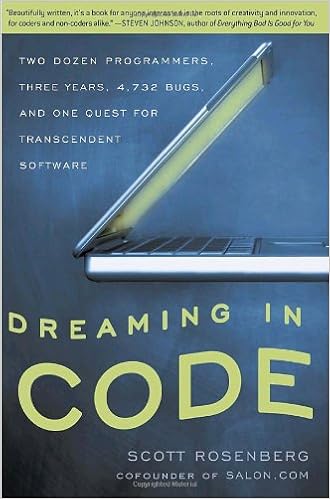
It's almost 16 years now since Joel Spolsky wrote a blog post about "The Joel Test". I'm currently reading Dreaming in Code: Two Dozen Programmers, Three Years, 4,732 Bugs, and One Quest for Transcendent Software, a book that follows a failing project and that investigates why software projects can be so difficult to get done in time, on budget and with the right functionality. It references the Joel Test. Haven't had the time to analyze it much, but at a glance I like it and think it makes sense. I'm adding it to the blog so I don't lose it.

The Joel Test
  1. Do you use source control?
  2. Can you make a build in one step?
  3. Do you make daily builds?
  4. Do you have a bug database?
  5. Do you fix bugs before writing new code?
  6. Do you have an up-to-date schedule?
  7. Do you have a spec?
  8. Do programmers have quiet working conditions?
  9. Do you use the best tools money can buy?
  10. Do you have testers?
  11. Do new candidates write code during their interview?
  12. Do you do hallway usability testing?


lördag 5 mars 2016

SignalR laboration: Reaction Time Game

About two years ago I decided to learn the basics of SignalR by doing a small laboration. The laboration became this Reaction Time Game where the players try to be the fastest to click a button after it has changed color from yellow to green. It has a high score list and a chat.


When playing on my smart phone, a Samsung S3, it is impossible to get an good honest reaction time registration. On the computer I get around 300 ms and on the phone around 800 ms, I'm not sure why this is the case. Maybe because of less CPU power, slower wifi or slow tap registration on the screen?

Of course @ordbajsarn had to hack it almost at once. The SignalR hub sends a signal to all clients when it's time for the button to change color. He changed the java script on his client to simulate a click on the button as soon as the color-change signal was received. This way he got really low reaction times registered on the server side. I guess I could guard against this by setting a limit on how many times in a row a client is allowed to have an unreasonable low reaction time. But the code is open source now and therefore a user can see whatever cheat guards are used. So, two questions from this laboration is: is it possible to have the source code open and still catch cheaters? How then?

Btw, the repository is here.